Ultimate Smart Lock Review 2026: Face, Palm, and Ultra Wide Band
August 28, 2026In this video I’ve got 12 new smart locks with palm, face, and ultra-wideband unlocking. I’m going to test which technology is the fastest, least error prone, and most convenient and figure out who makes the best smart lock in 2026. As always, there are no sponsored reviews on this channel.
Palm ID Locks
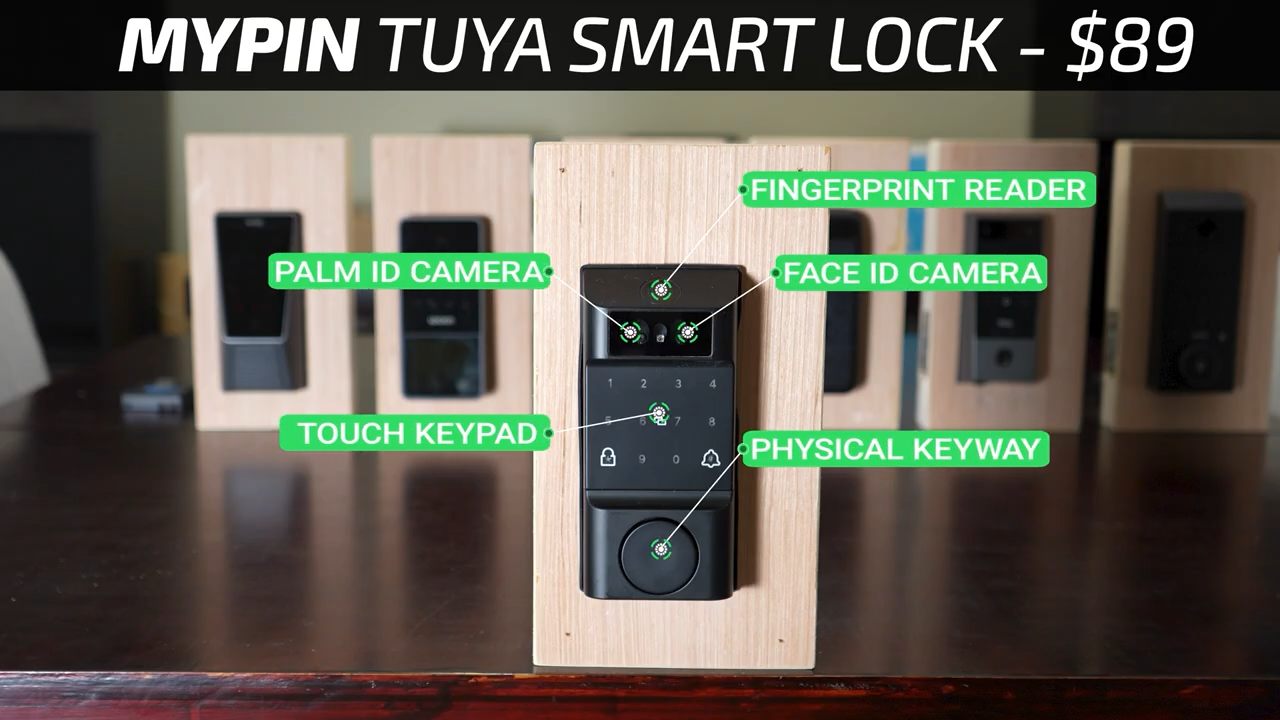
Starting with the Palm ID locks, the least expensive lock in the video is the $89 MYPIN Tuya Smart Lock that has basically every unlocking tech possible with Palm ID, Face ID, a fingerprint reader, a touch screen keypad, and a physical keyway.
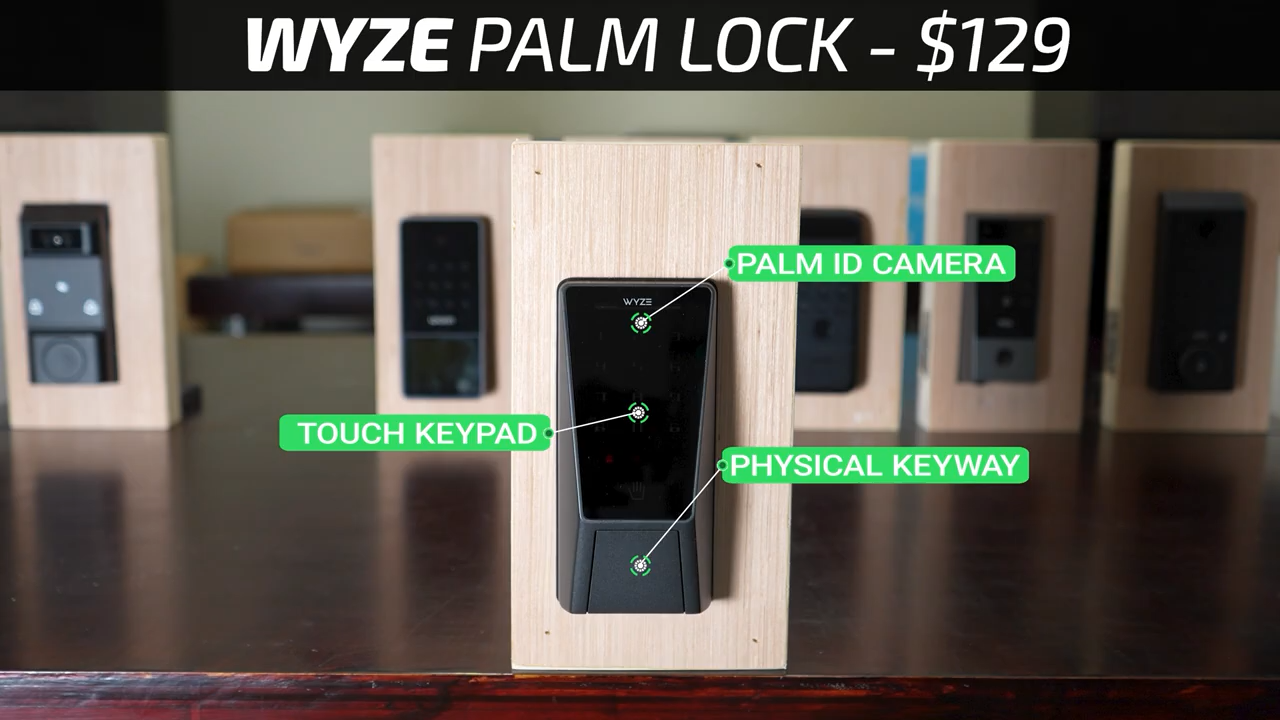
Then for $129 we’ve got the Wyze Palm Lock which has Palm ID, a touch screen keypad, and a hidden physical keyway.
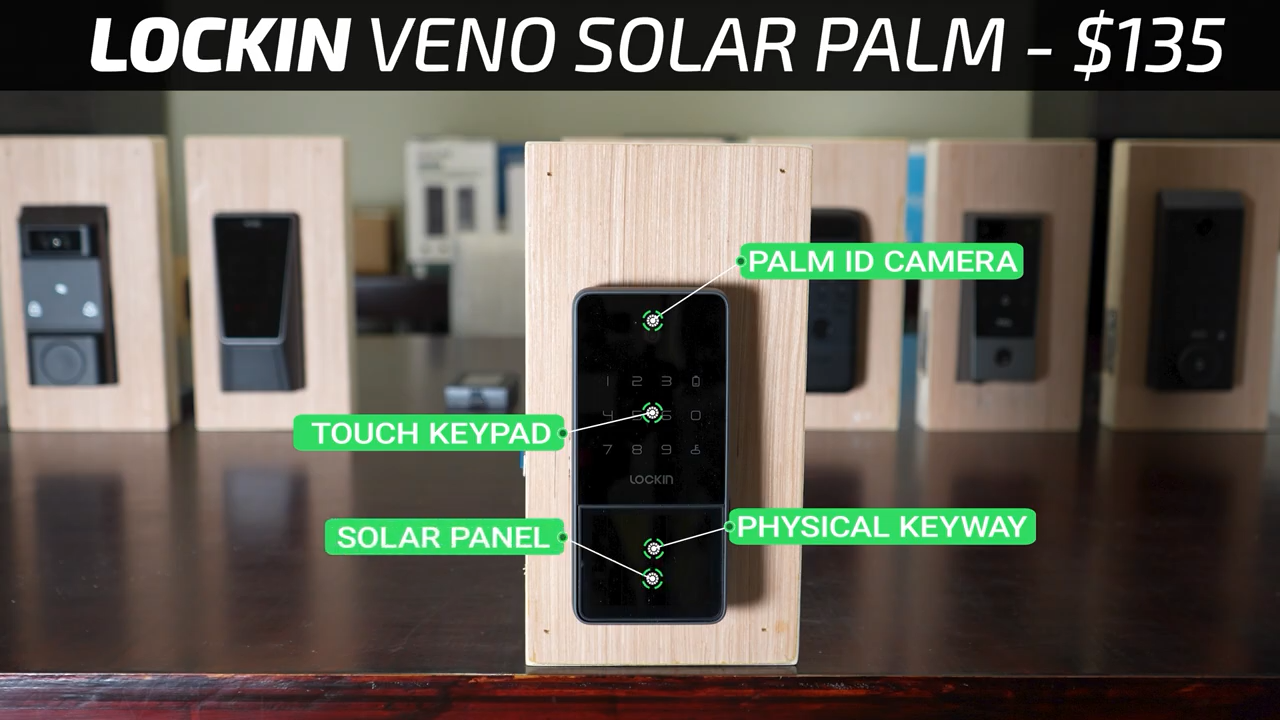
After that for $135 is the Lockin Veno Solar Palm, also with Palm ID, a touch screen keypad, and a hidden physical keyway. But as the name implies, the Lockin also includes a solar panel for charging.
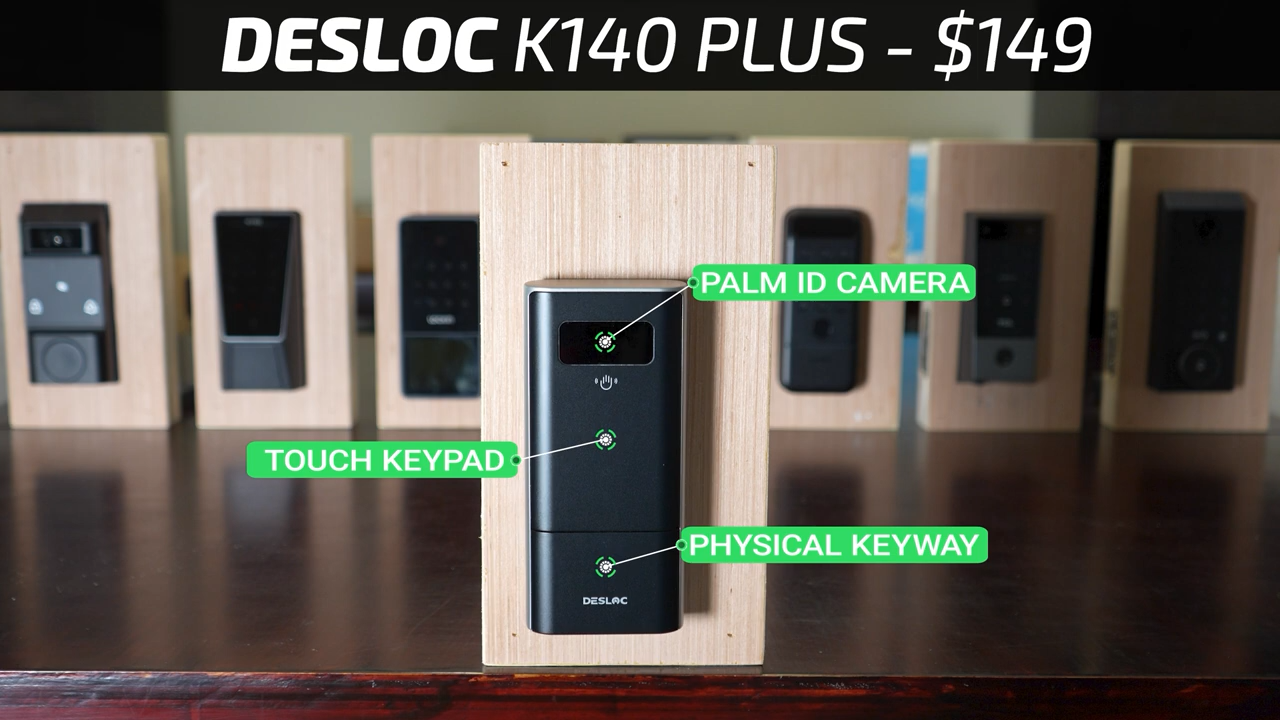
Then for $149 is the DESLOC K140 Plus again with Palm ID, a touch screen keypad, and a hidden physical keyway.
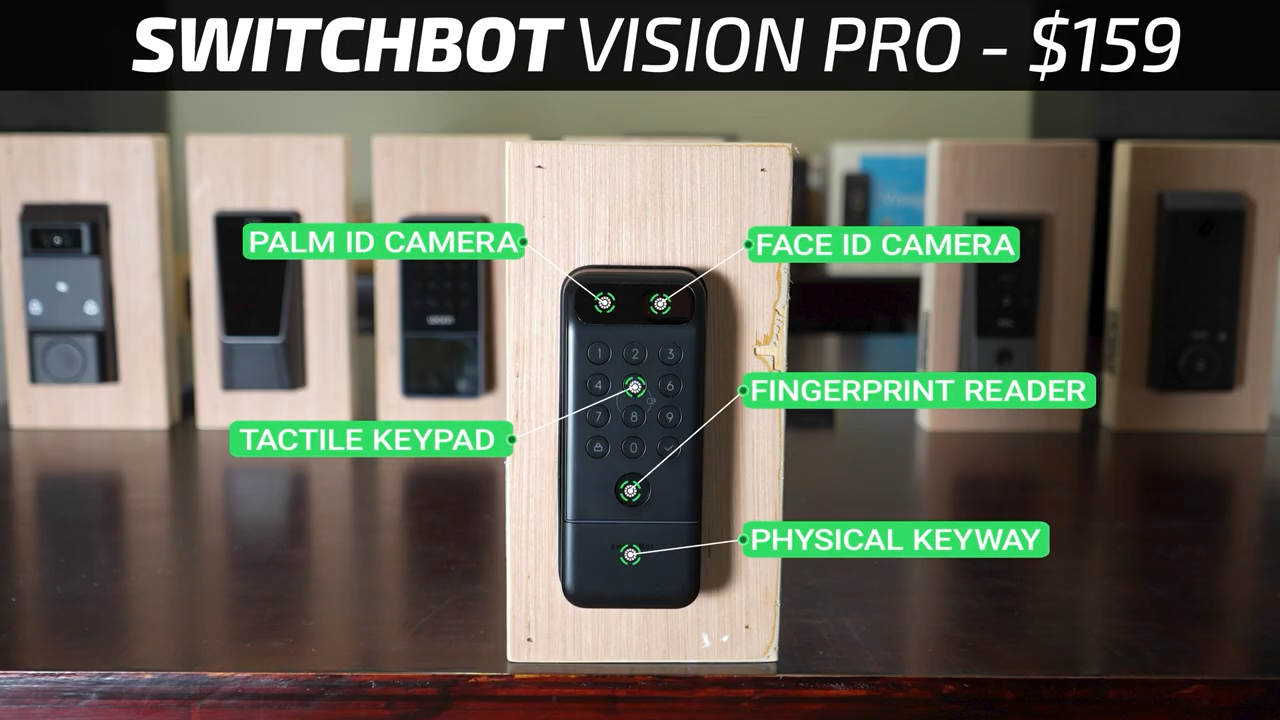
Then for $159 is the SwitchBot Vision Pro, another hybrid lock with both Palm ID, Face ID, a fingerprint reader, a tactile keypad, and a hidden physical keyway.
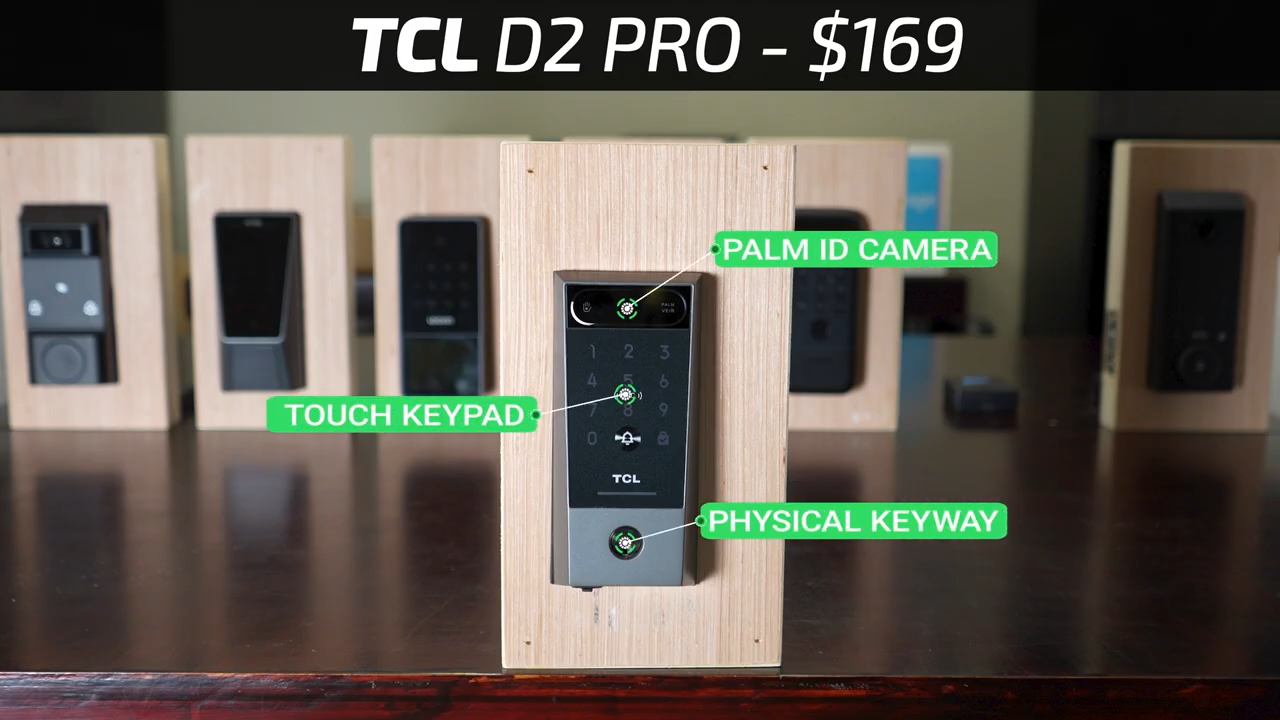
For $169 the TCL D2 Pro has Palm ID, a touch screen keypad, and an exposed physical keyway.
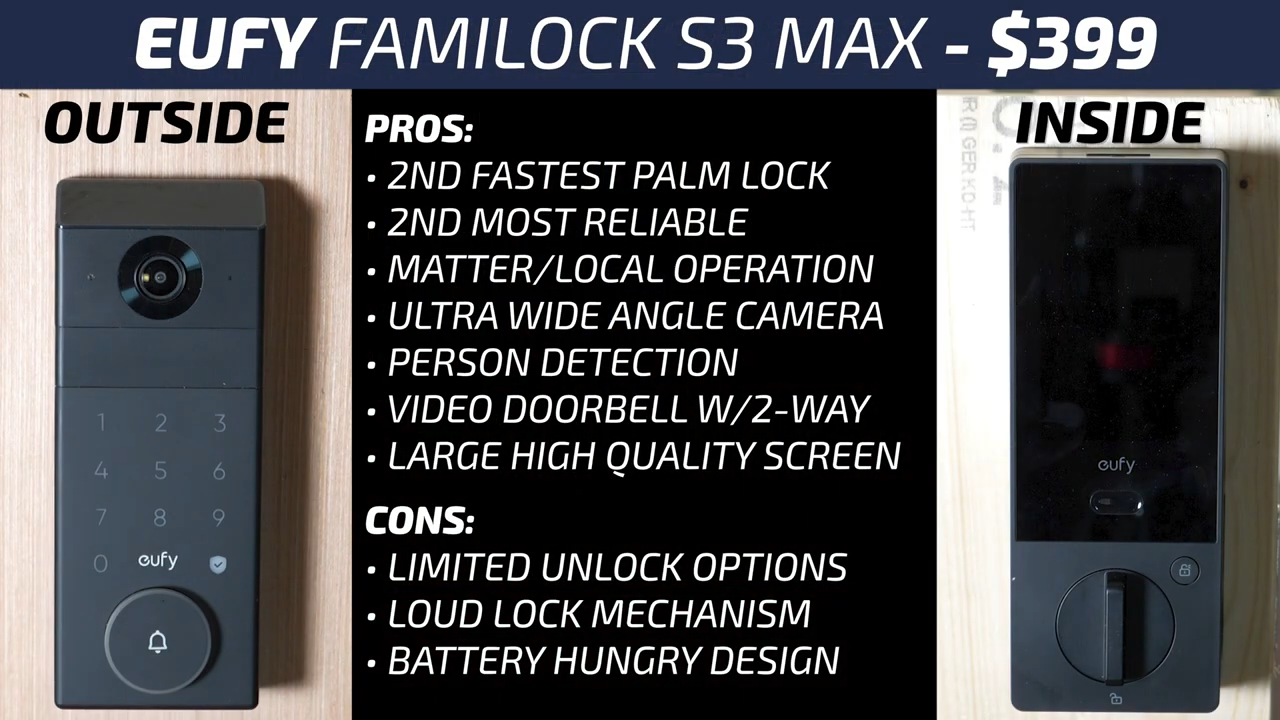
Lastly, jumping all the way up to $399, the eufy FamiLock S3 Max has Palm ID, a touch screen keypad, and a hidden physical keyway. It also includes a built-in security camera with person detection and a large screen on the inside of the door to view the camera feed from the outside.
Palm ID Conditions Testing
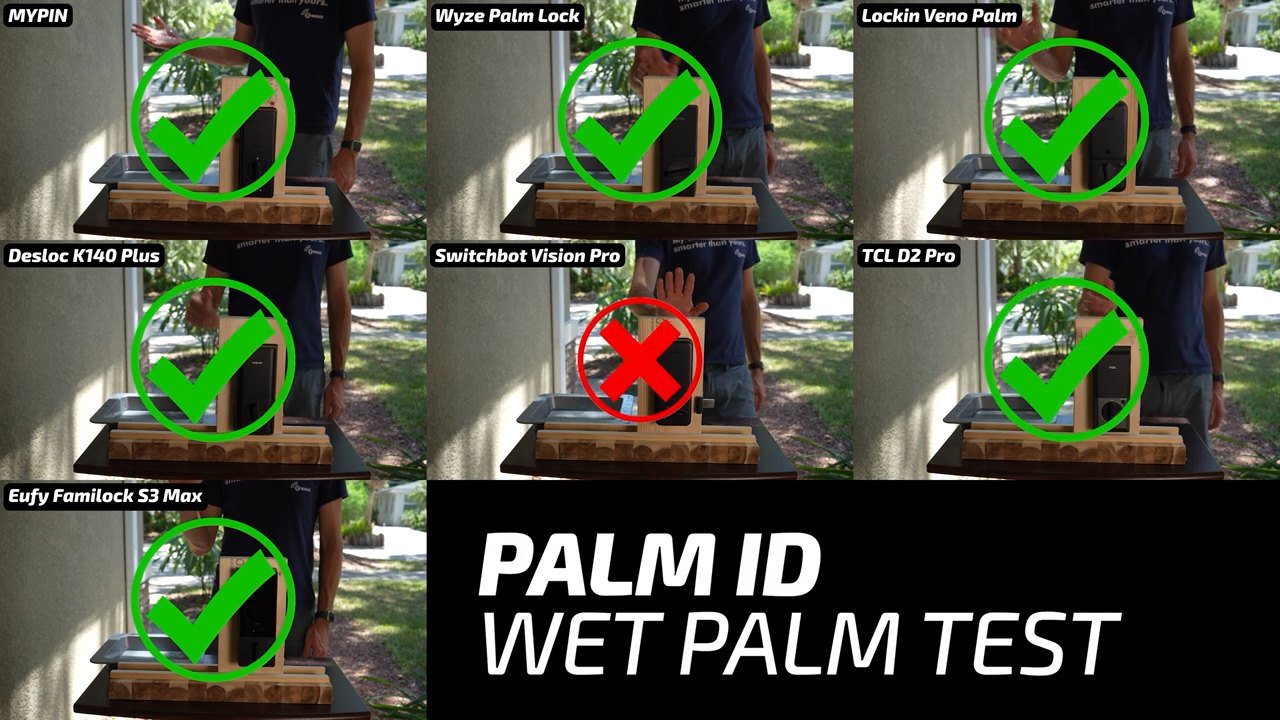
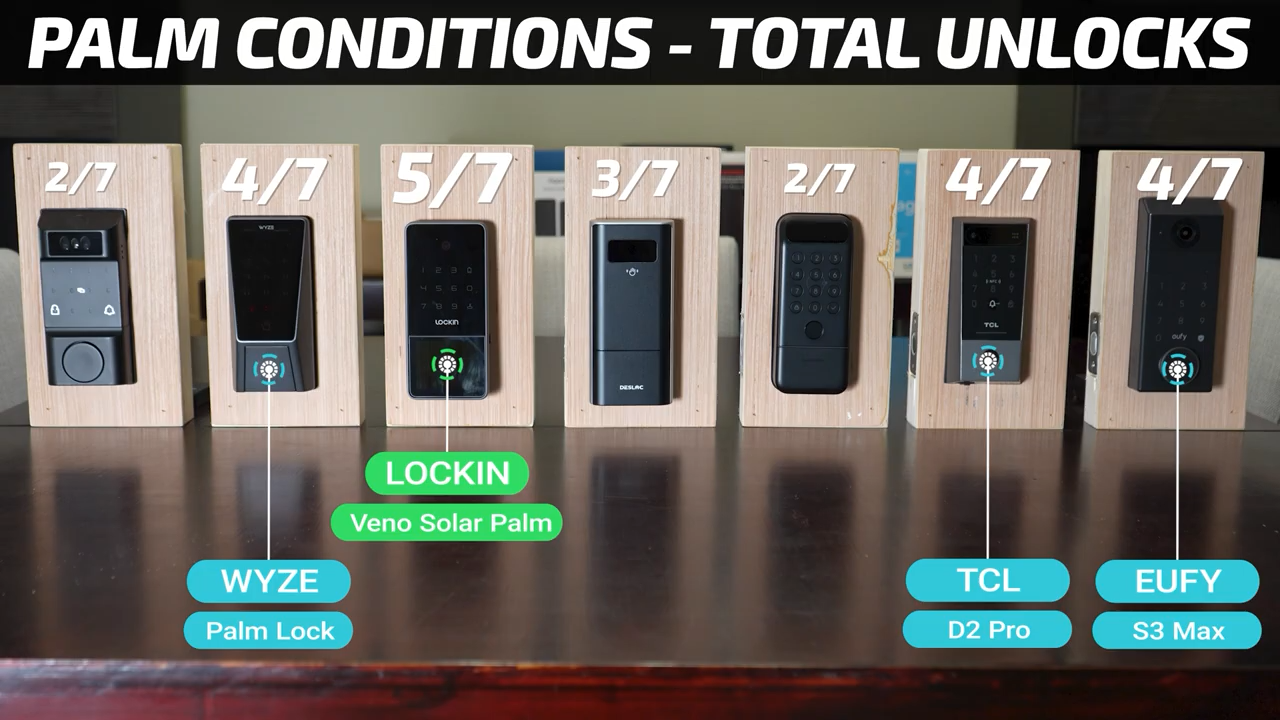
Looking specifically at Palm ID, this tech uses a wavelength of near infrared light that gets strongly absorbed by the deoxygenated blood in your veins and the locks look at the patterns of veins in your palm rather than looking at the surface of your skin like a fingerprint reader. So, while fingerprint readers are notoriously bad at detecting wet fingerprints, Palm ID shouldn’t have that issue. I started my testing by dipping my hand in water, giving it a quick shake off, and then immediately using Palm ID. You can see that all the locks except the SwitchBot were able to easily recognize my wet palm.
However, with a dirty palm, that near infrared light gets blocked and your palm veins are obscured. So, none of the locks will be able to recognize a very dirty or greasy hand, meaning these locks aren’t any better than a fingerprint reader for someone gardening or working on cars.
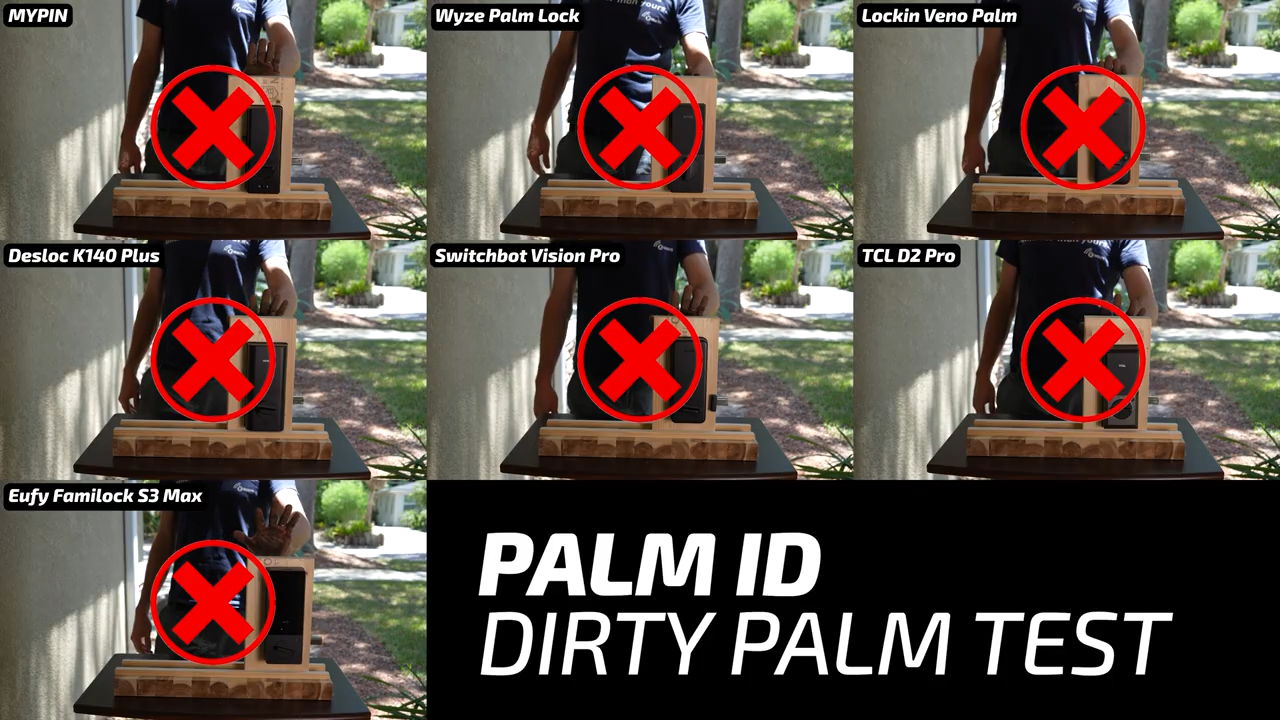
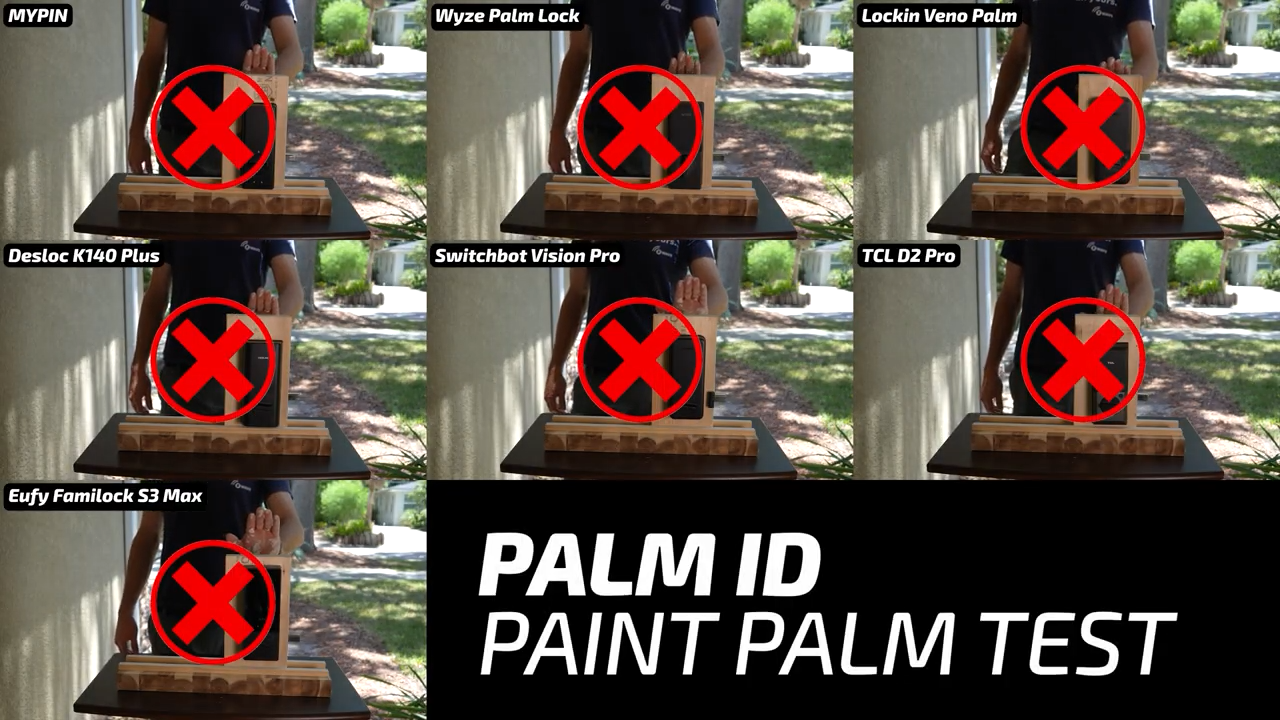
Similarly, having splotches of paint on my hand also rendered these locks completely ineffective.
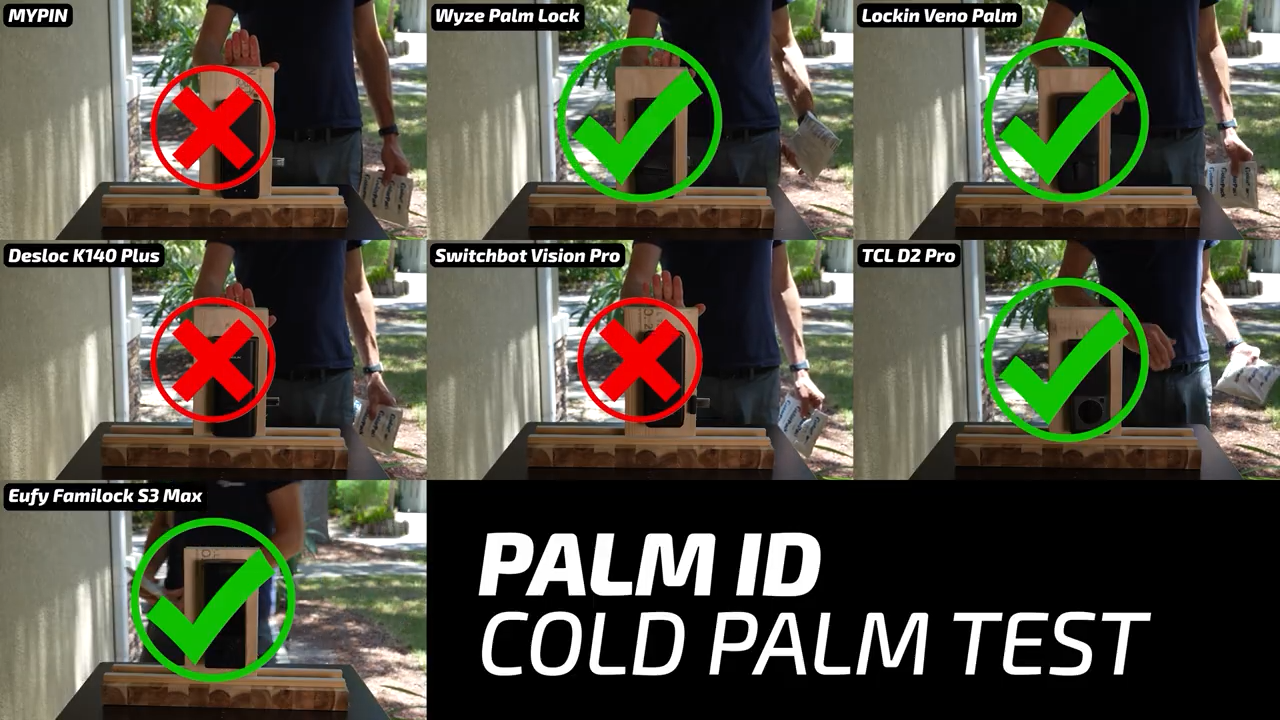
I was also curious what having very cold hands would do to palm vein recognition, so I held onto an icepack for several minutes and then tested each lock. In this test, the hybrid locks from MYPIN and SwitchBot failed to recognize my palm and so did the DESLOC K140 Plus.
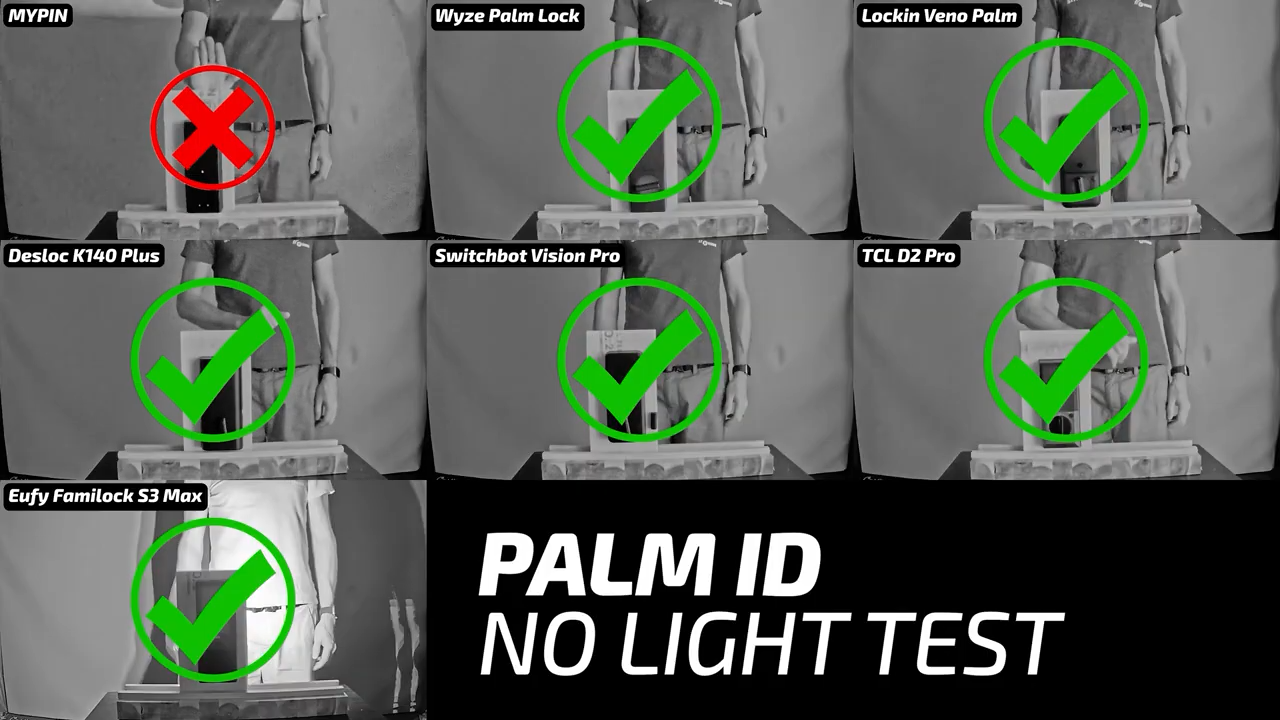
I also tested how they performed in complete darkness, and unsurprisingly, they did very well since they have their own light source with only the MYPIN failing to unlock. But the DESLOC did need to be woken up manually by touching the keypad.
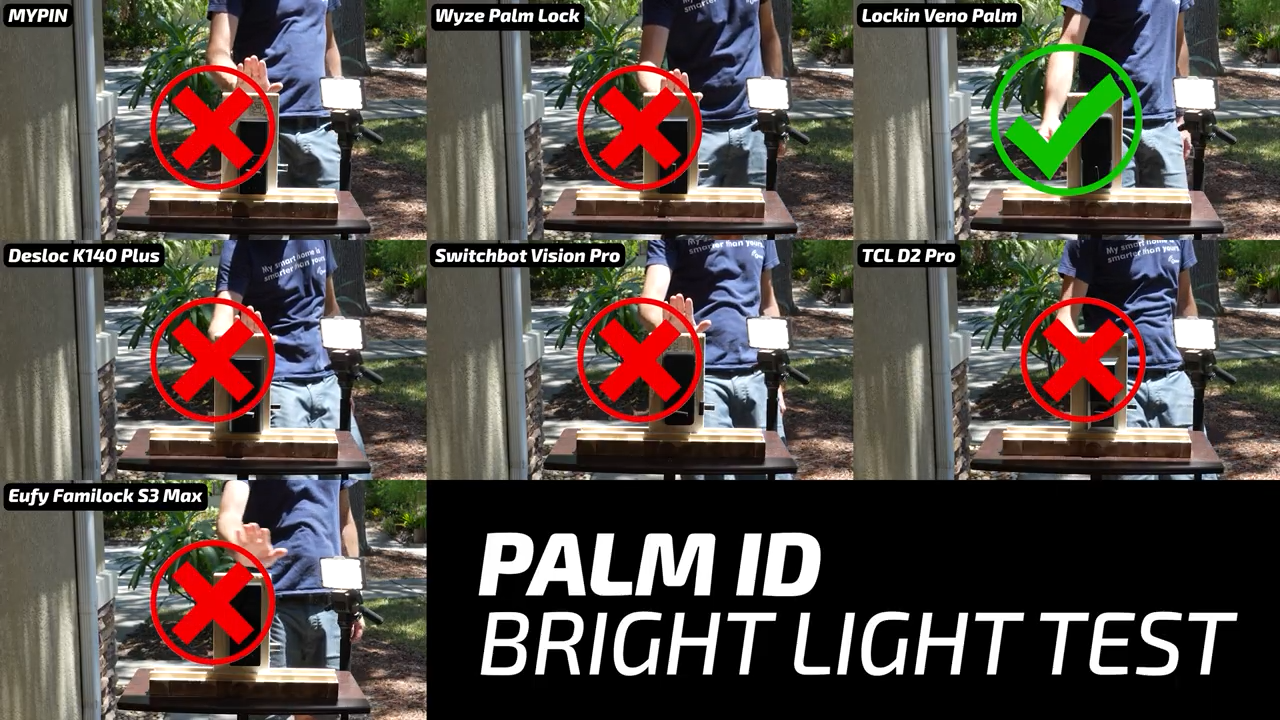
A much harder test for these locks is extremely bright light, so I put them in direct sunlight and also shined an LED spotlight at their cameras. The Lockin Veno Solar Palm was the only one that was able to cope with those conditions.
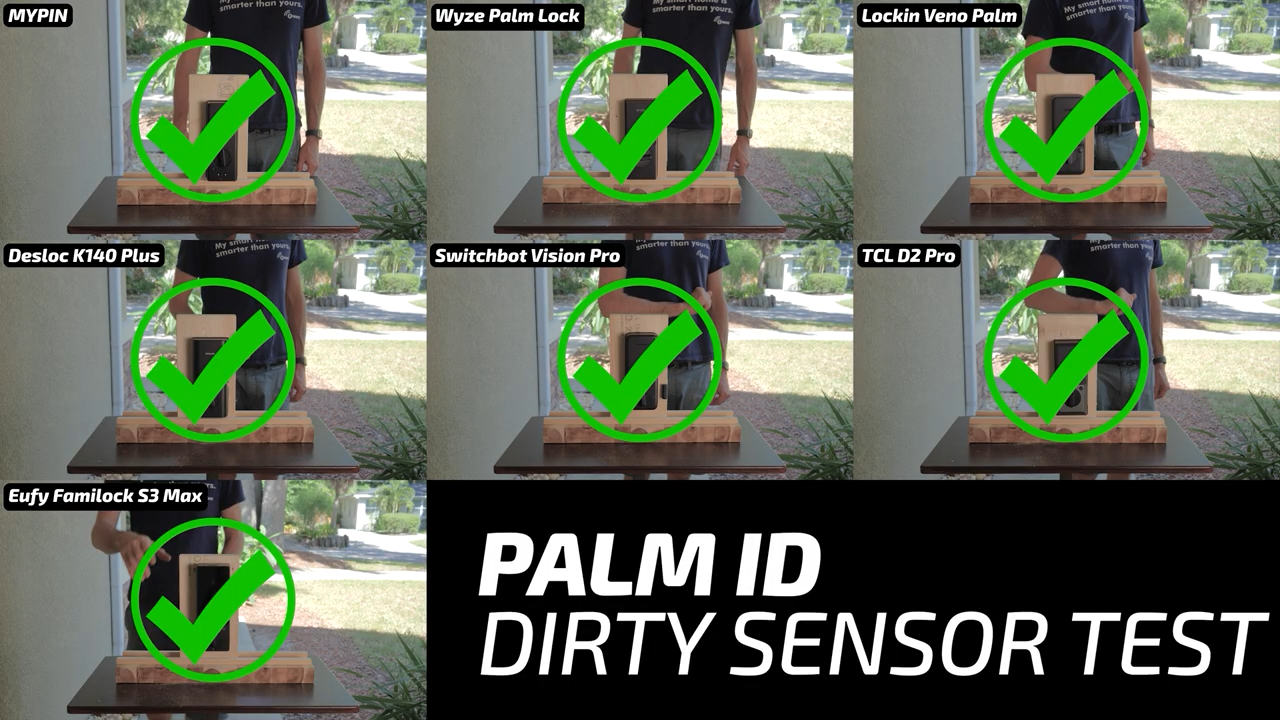
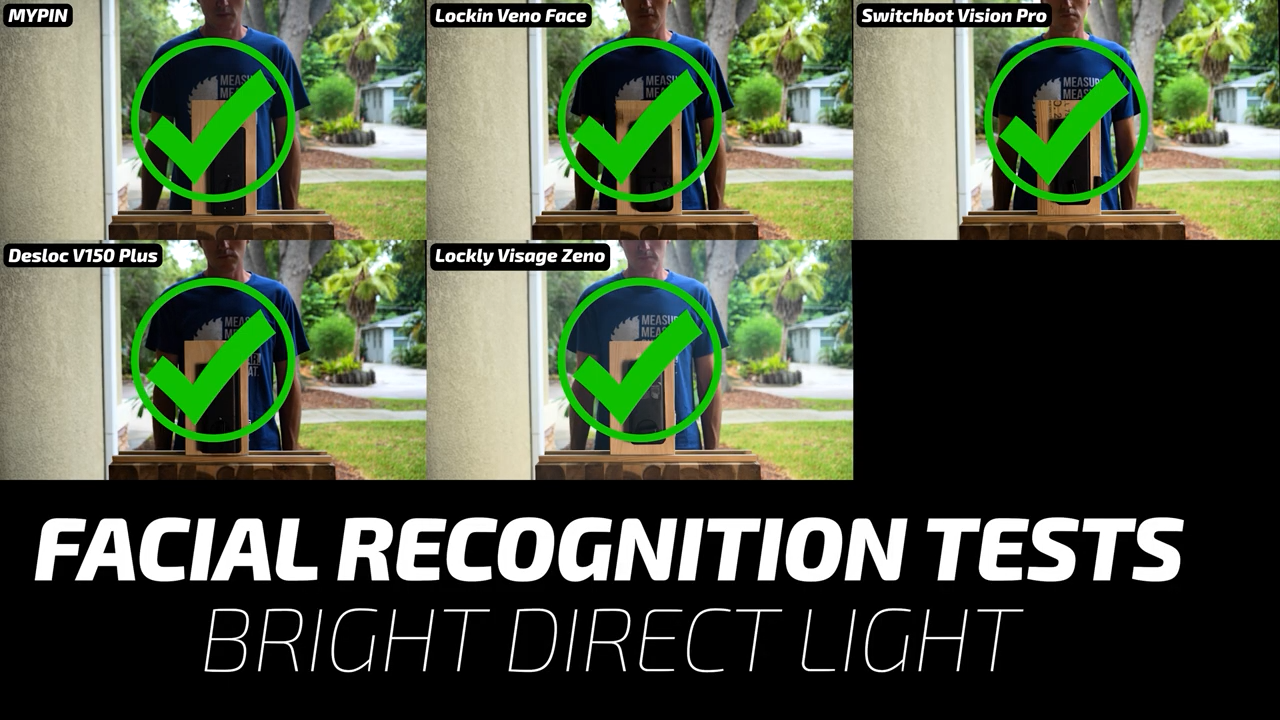
Last, I grabbed my old shop vac filter and covered the cameras of each lock with fine dust to simulate a few months without cleaning and surprisingly all the locks still worked fine, but the DESLOC did need to be woken up manually.
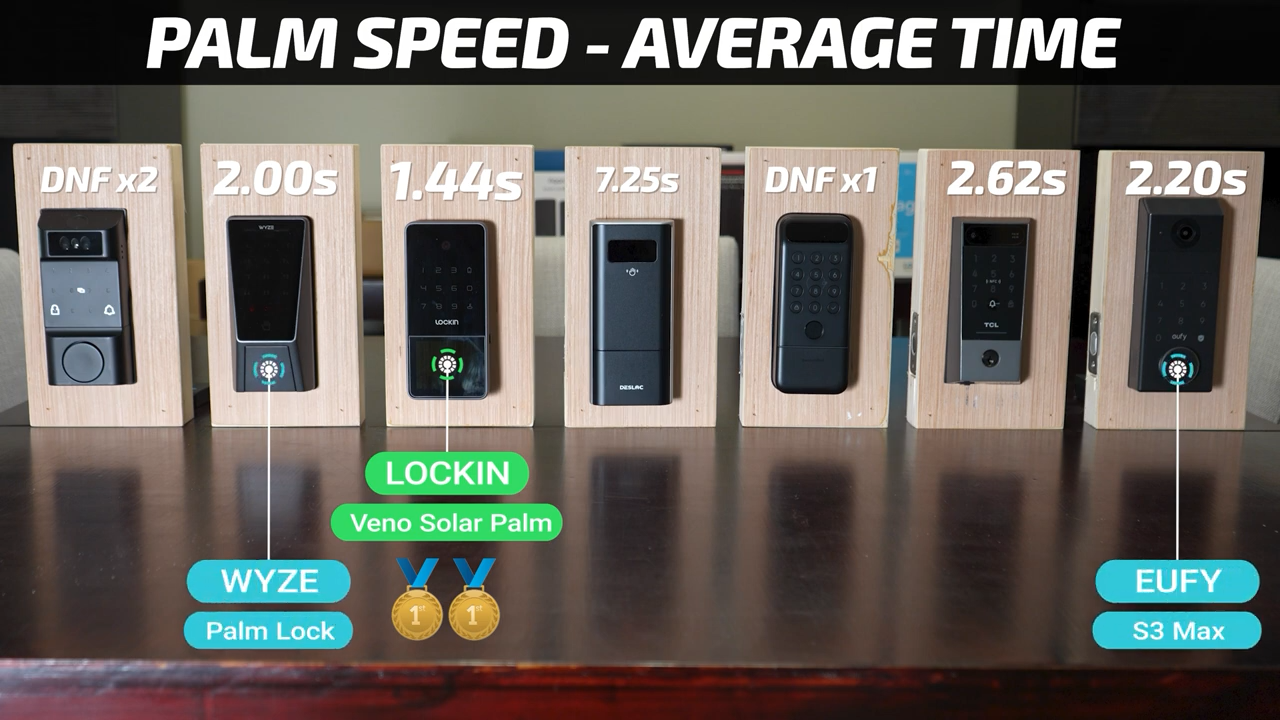
That means that the most reliable locks were the Lockin Veno Solar Palm with five unlocks, and the Wyze, TCL, and eufy all had four unlocks.
Palm ID Speed Testing
I also put them head-to-head to test their unlocking speed. For each matchup I did two trials, then swapped their locations and did two more trials.
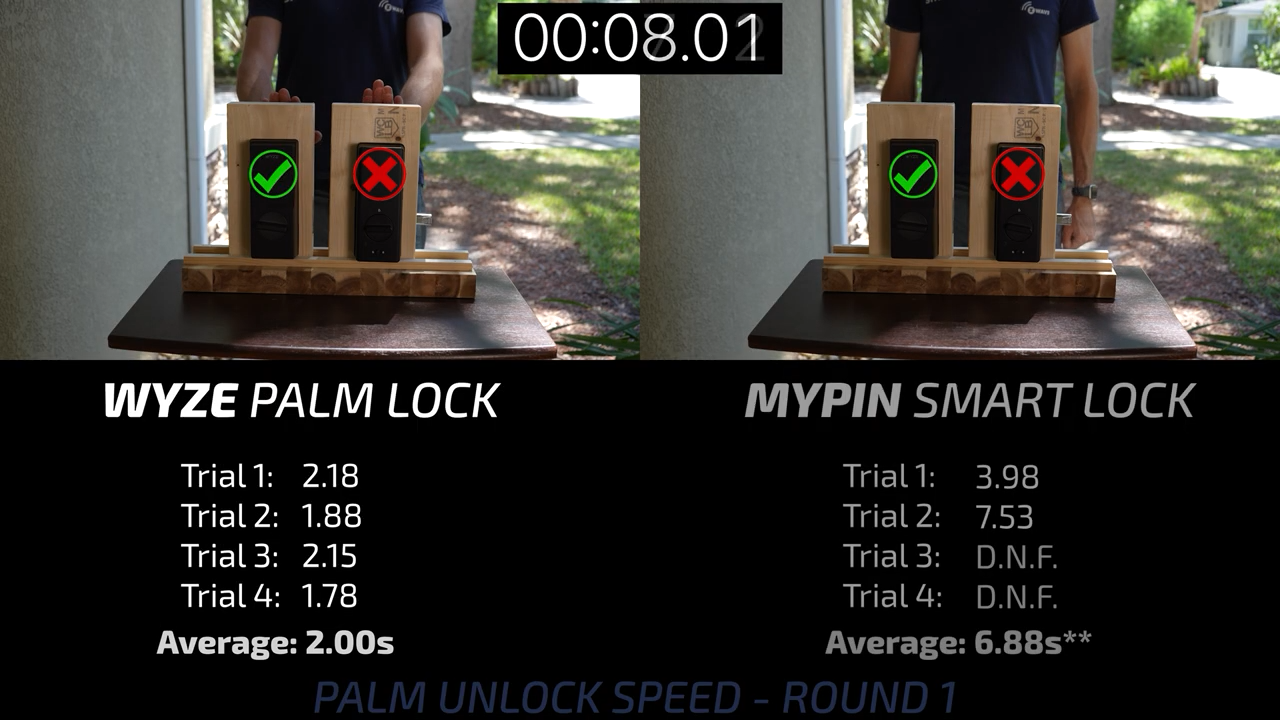
Starting with the MYPIN on the left and the Wyze on the right, both locks worked but the Wyze was much faster. After swapping sides, the MYPIN failed to unlock using my left palm, so the Wyze moved on.
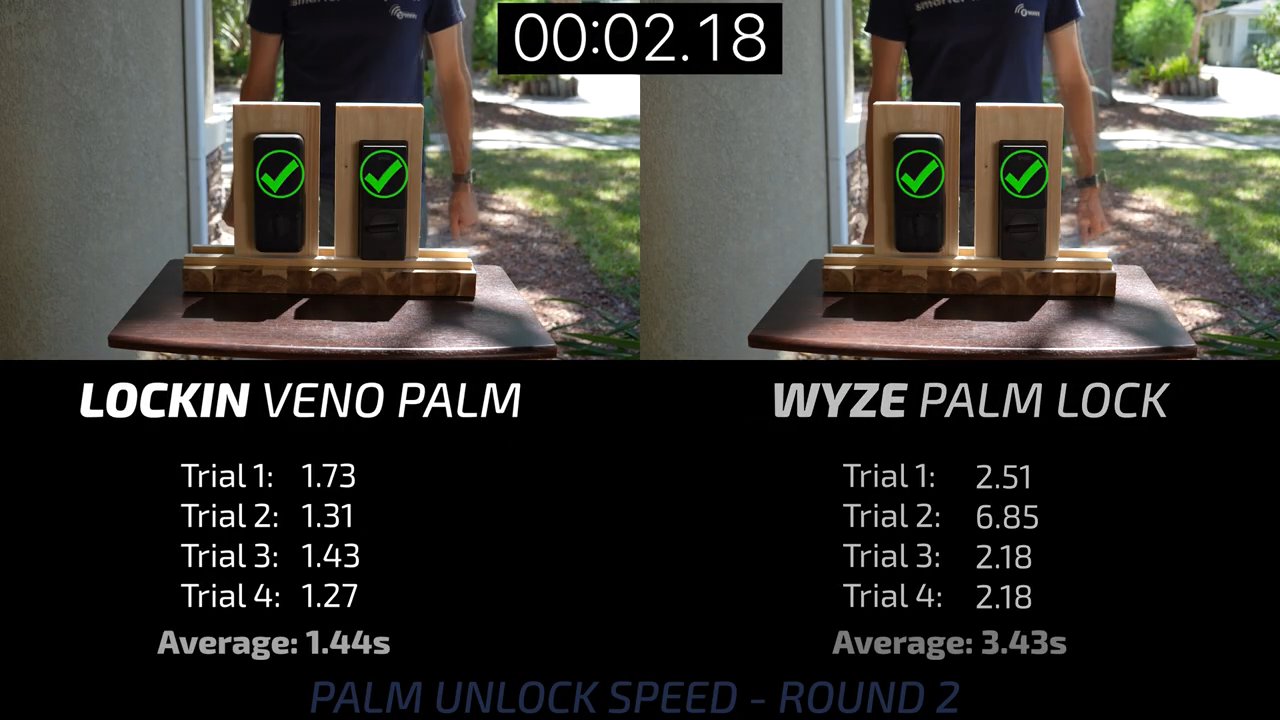
In round 2, the Wyze still performed well, but it was no match for the Lockin Veno Solar Palm that seemed to detect my palm almost instantly.
In round 3, the DESLOC K140 Plus did successfully unlock eventually, but the unlock times got longer and longer. It was no match for the Lockin Veno Palm, which continued to perform flawlessly.
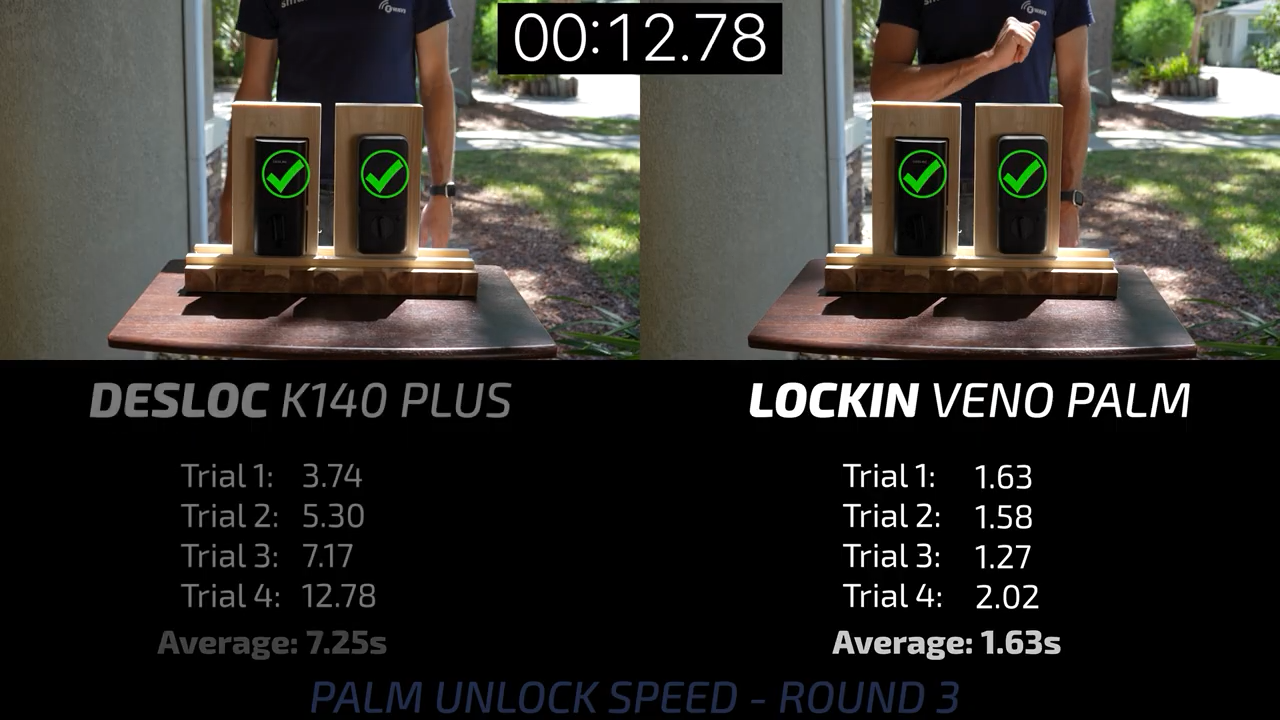
In round 4, the SwitchBot Vision Pro was very talkative, giving me instructions to stand straight or move a little closer, but ultimately did a pretty poor job of actually recognizing my palm with only a single trial finishing in under 10 seconds.
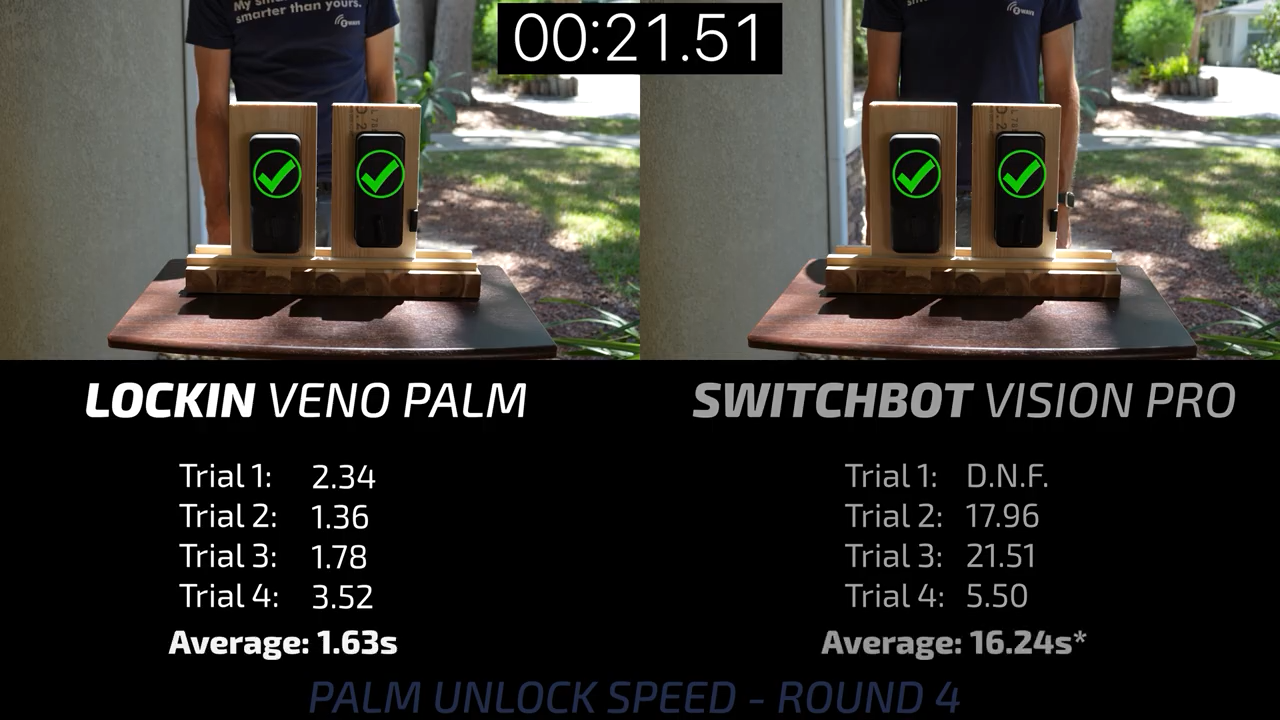
Round 5 had the Lockin versus the TCL D2 Pro, and both worked fantastically, but the Lockin was about 1 second faster on average.
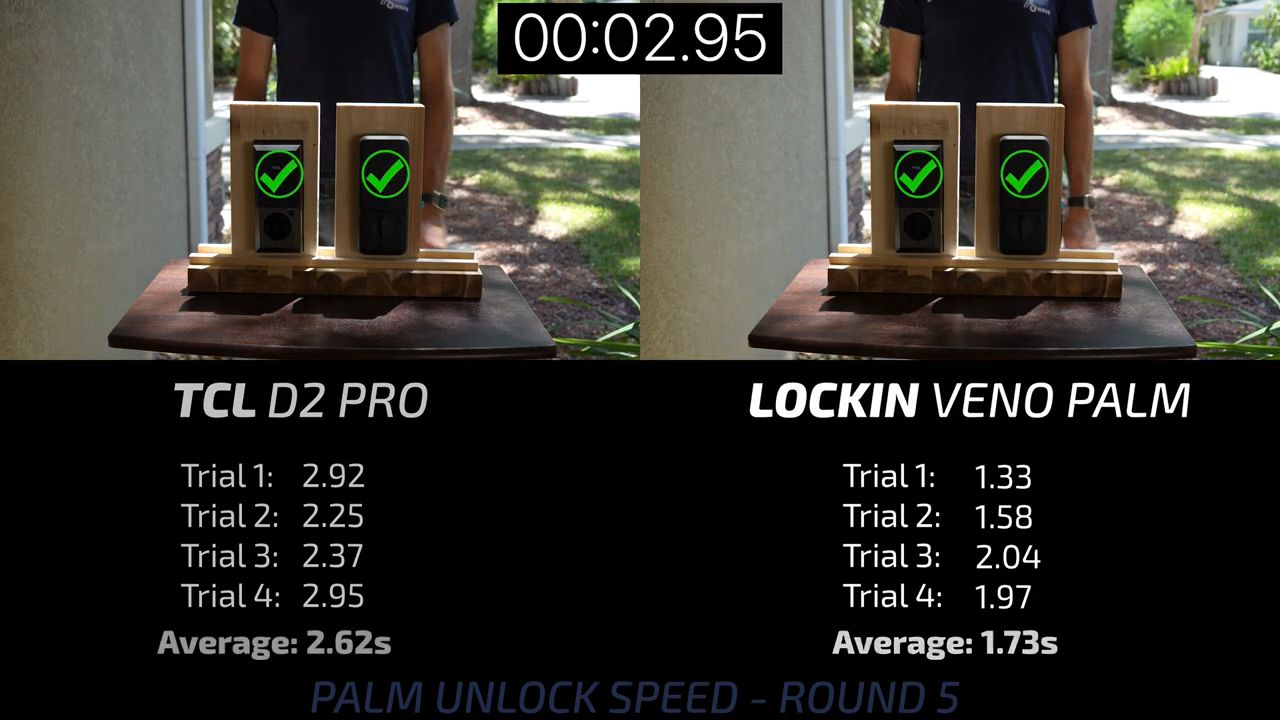
Last, round 6 was the closest with the eufy FamiLock S3 unlocking very quickly, but again, it was no match for the Lockin’s speed.
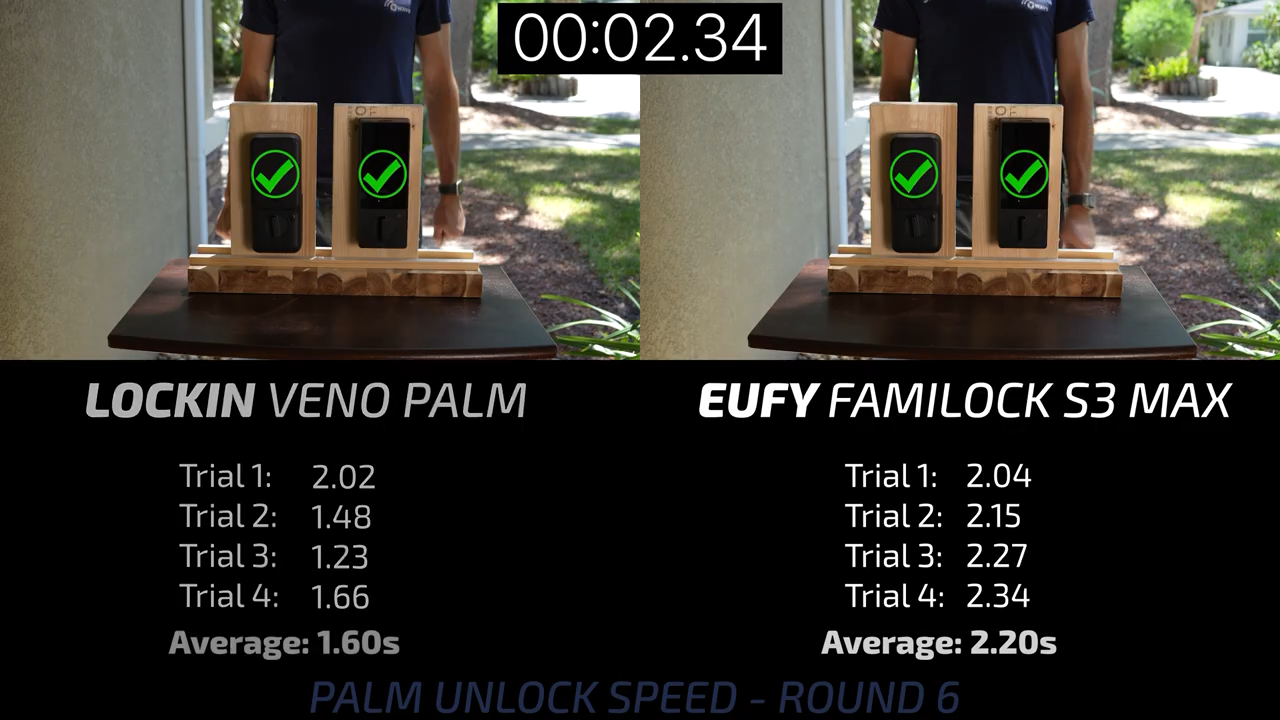
So, for the palm locks that means that the $135 Lockin Veno Solar Palm was both the fastest and the most reliable lock with the Wyze in 2nd and the eufy in 3rd. I’ll go into some more detailed testing of other features later, but for now, let’s move on to Face ID.
Facial Recognition Locks
The least expensive lock is again the $89 MYPIN Tuya Smart Lock that didn’t do particularly well in the palm testing, but also includes Face ID, so we’ll test it again.
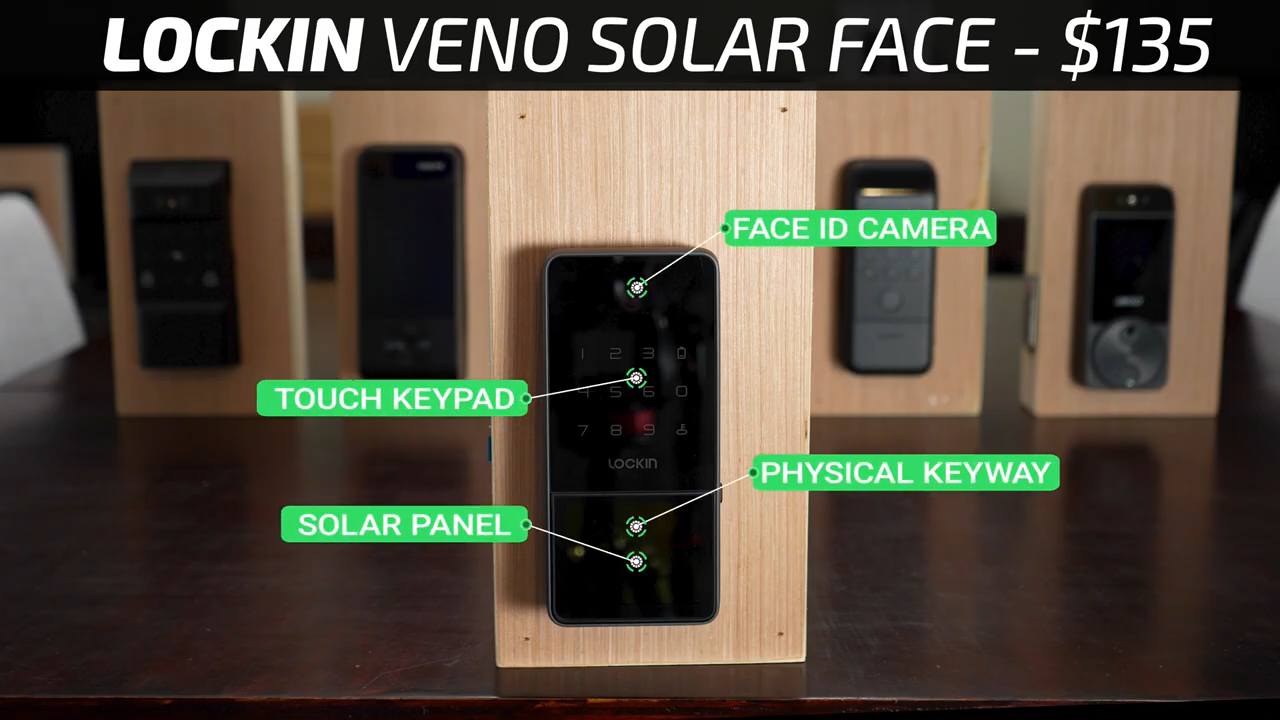
Then for $135 is another Lockin Veno Solar, but this one has Face ID instead of Palm ID and also includes a touch screen keypad and hidden physical keyway.
After that for $159, the SwitchBot Vision Pro is back, but this time we’ll be testing Face ID instead of Palm ID.
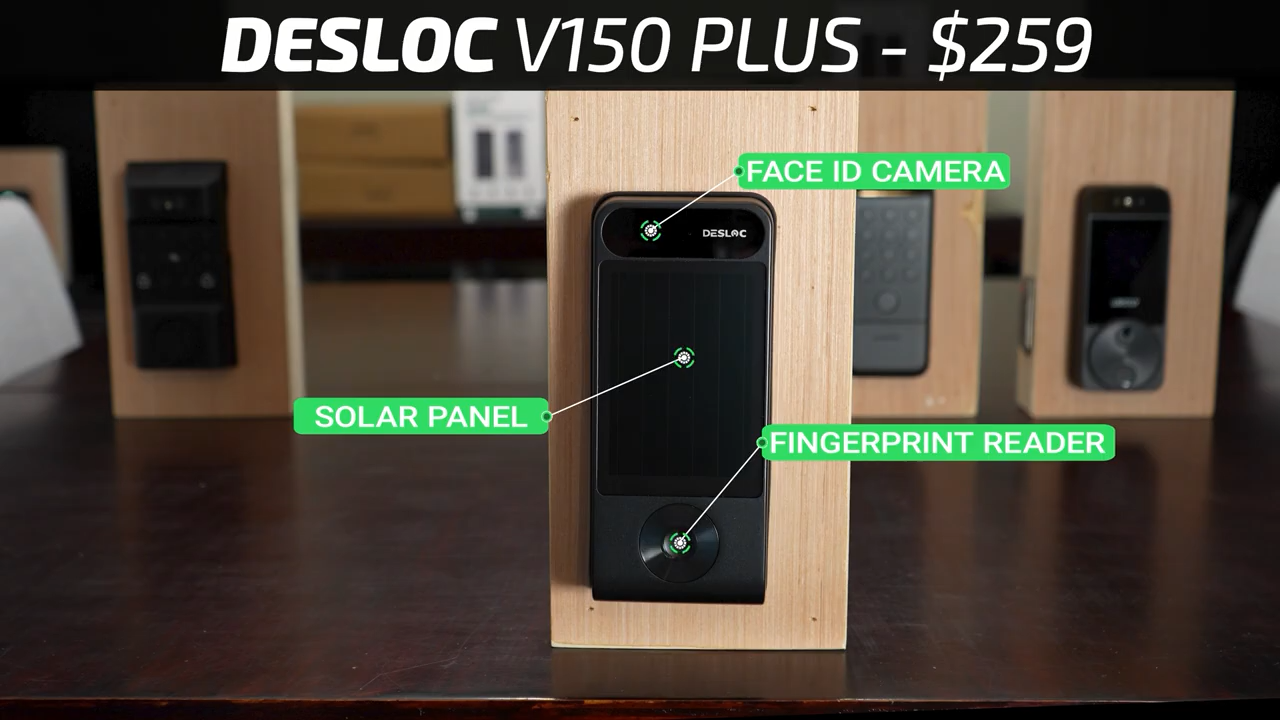
Then for $259 is the DESLOC V150 Plus with Face ID, a fingerprint reader, and a large solar panel, but no keypad and no physical keyway.
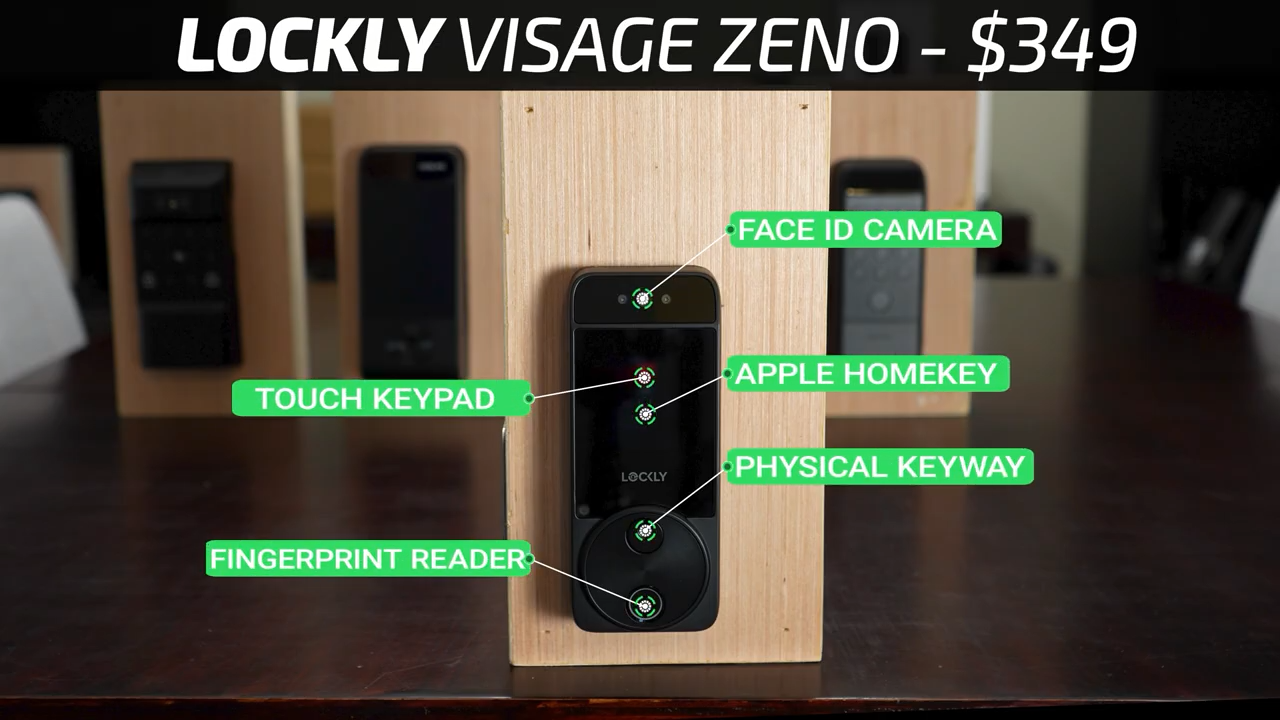
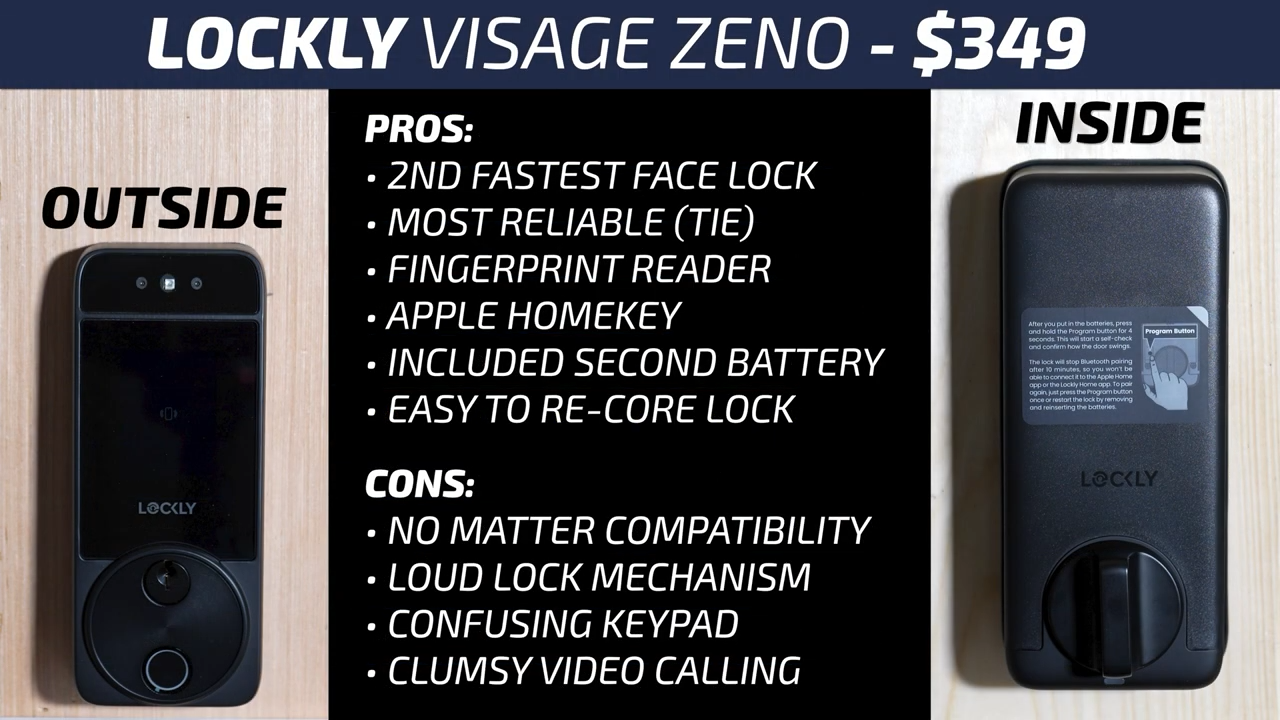
Last for $349 is the Lockly Visage Zeno that has Face ID, a fingerprint reader, Apple Home Key, a touchscreen keypad, and an exposed physical keyway.
Face ID Conditions Testing
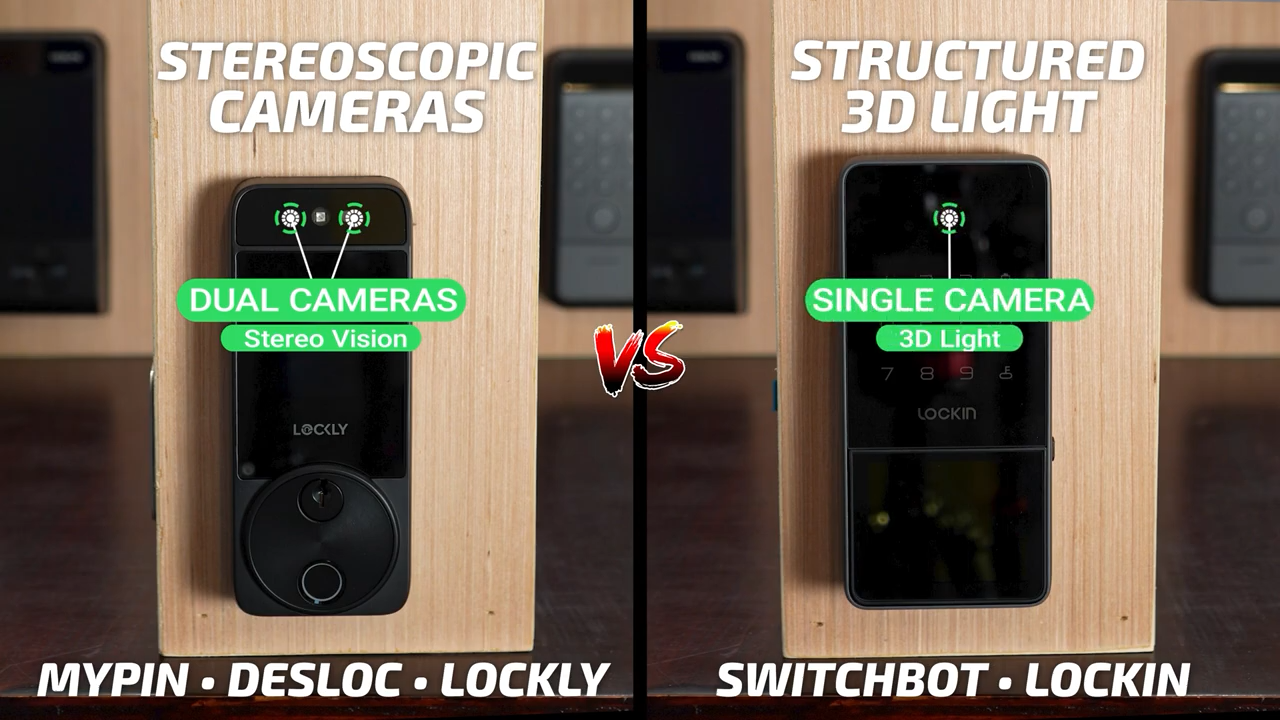
While both Palm ID and Face ID use infrared lights and cameras, Face ID uses the 3D structure of your facial features instead of blood flow analysis. Interestingly, there are actually two different Face ID methods being used in these locks. The MYPIN, DESLOC, and Lockly shine a bright infrared light at your face and then use two cameras to determine depth, the same way your two eyes give you depth perception while the SwitchBot and Lockin use 3D structured light, projecting thousands of invisible infrared dots and measuring how that pattern is distorted by the contours of your face.
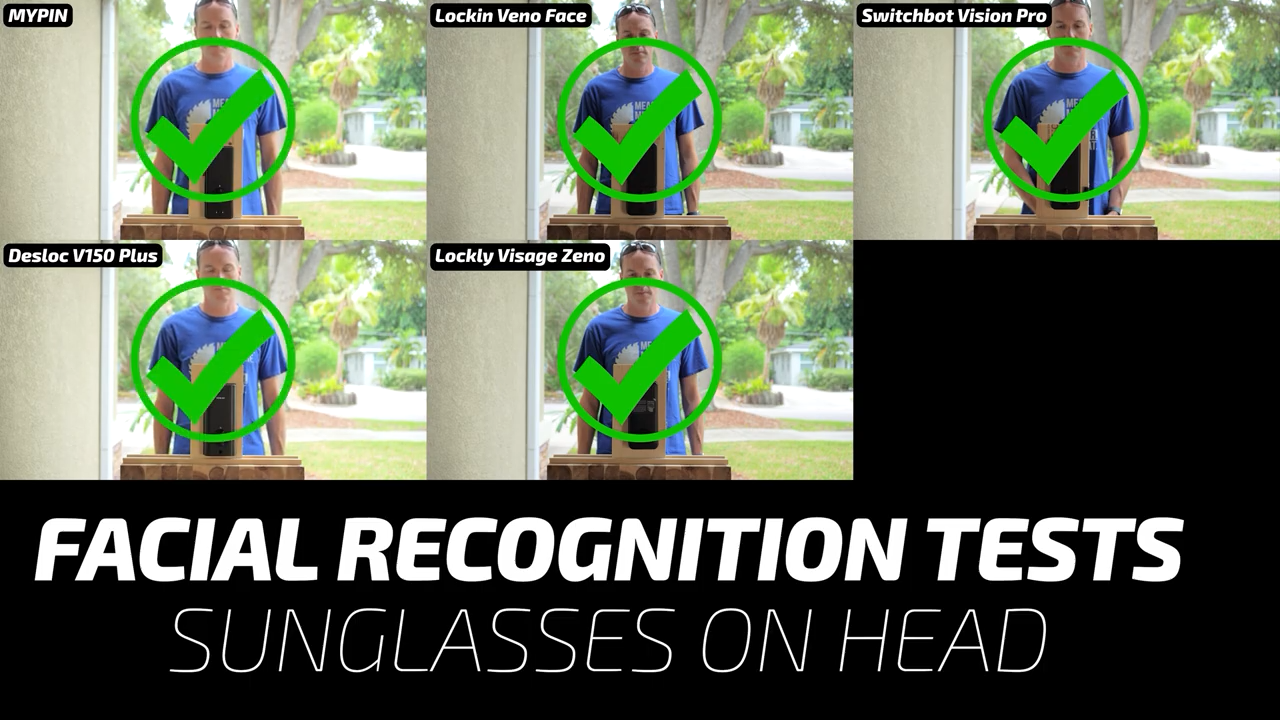
To test their unlock reliability, I gradually covered more and more of my face. Starting with sunglasses pulled up onto my head, all the locks eventually worked, but the MYPIN was slow and the DESLOC required a manual wake by touching the DESLOC logo next to the camera.
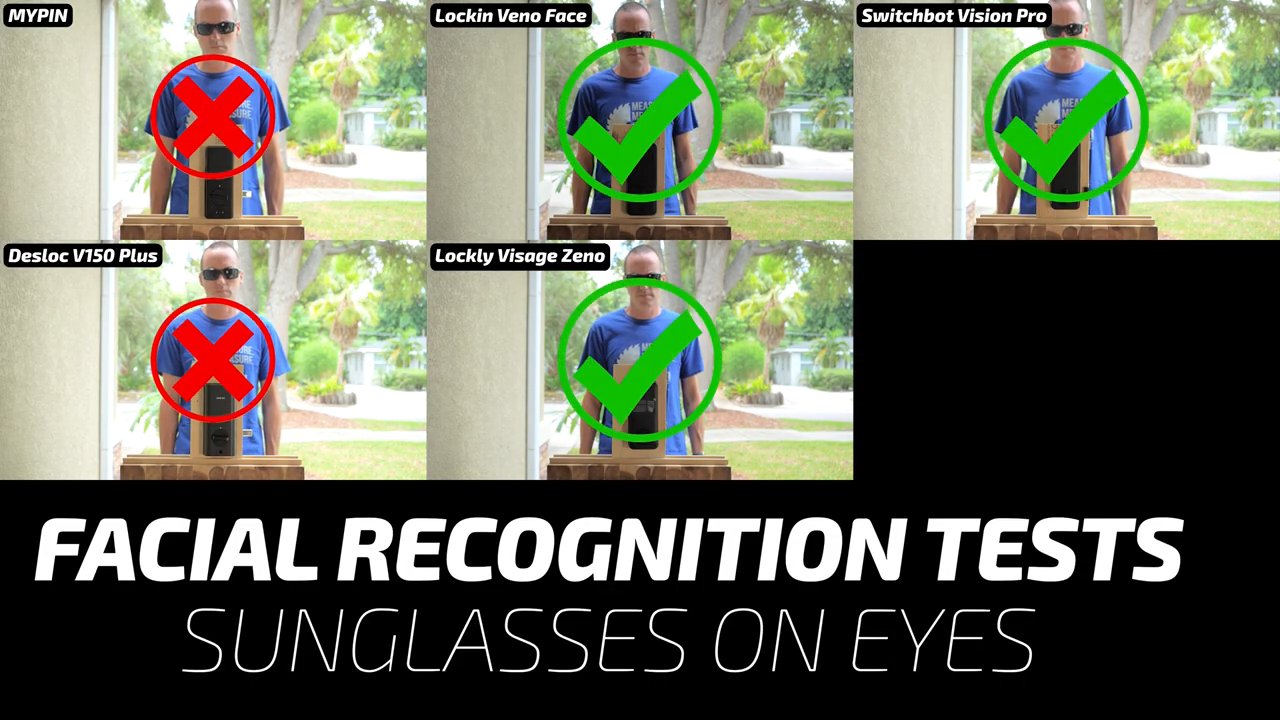
Next, putting my sunglasses down, the MYPIN and DESLOC failed to recognize me at all, even after a manual wakeup.
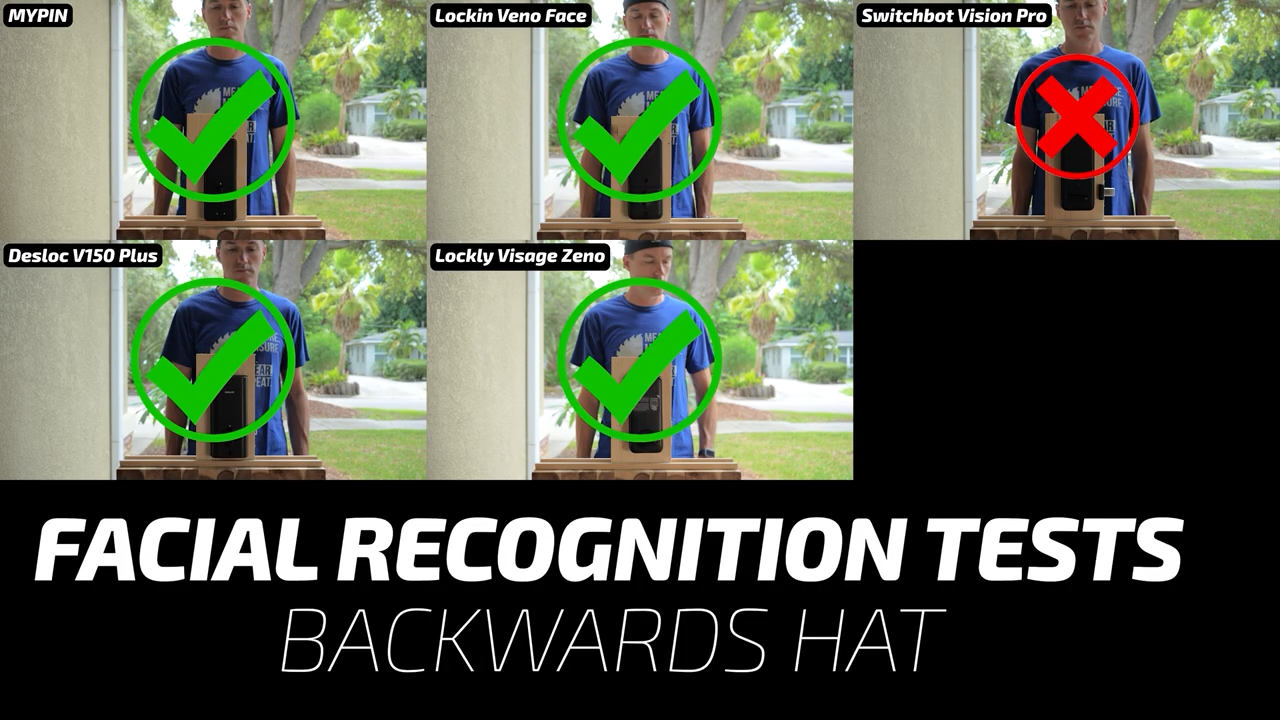
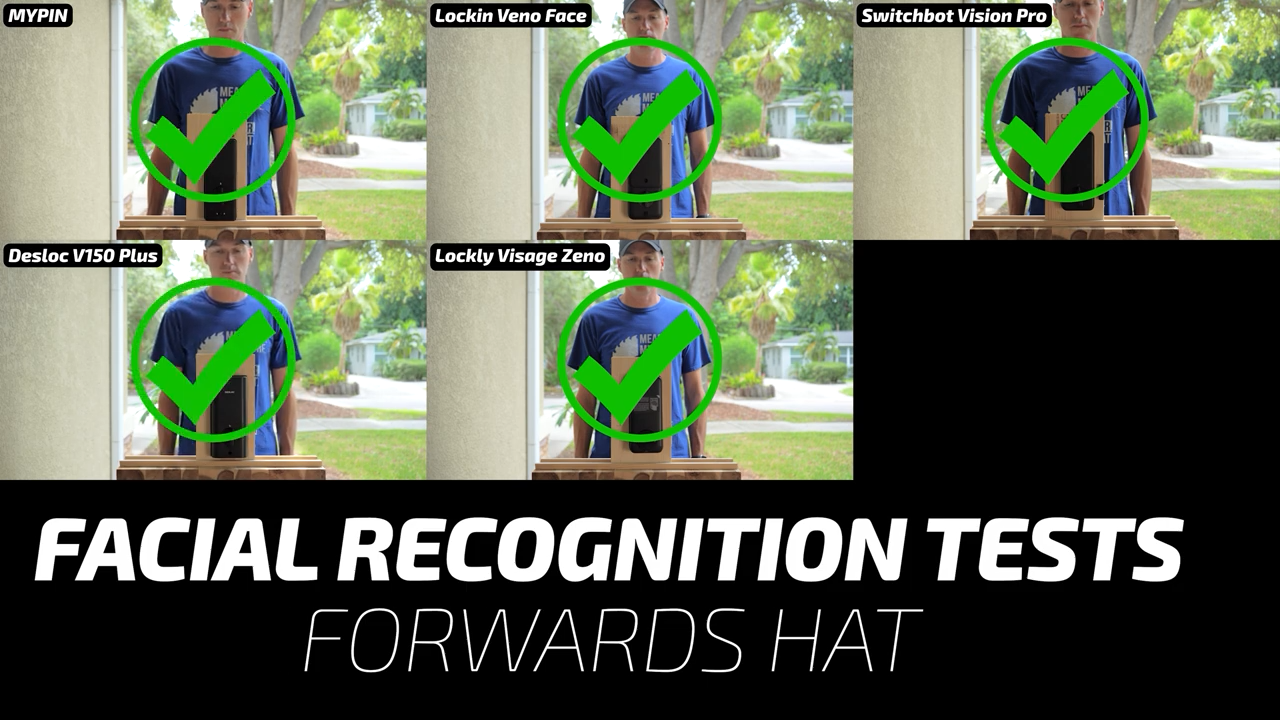
Moving on, a backwards hat confused the SwitchBot, but the rest of the locks recognized me eventually, again with the DESLOC needing a manual wake up.
But after turning my hat forwards, the SwitchBot recognized me again, and so did the rest of the locks.
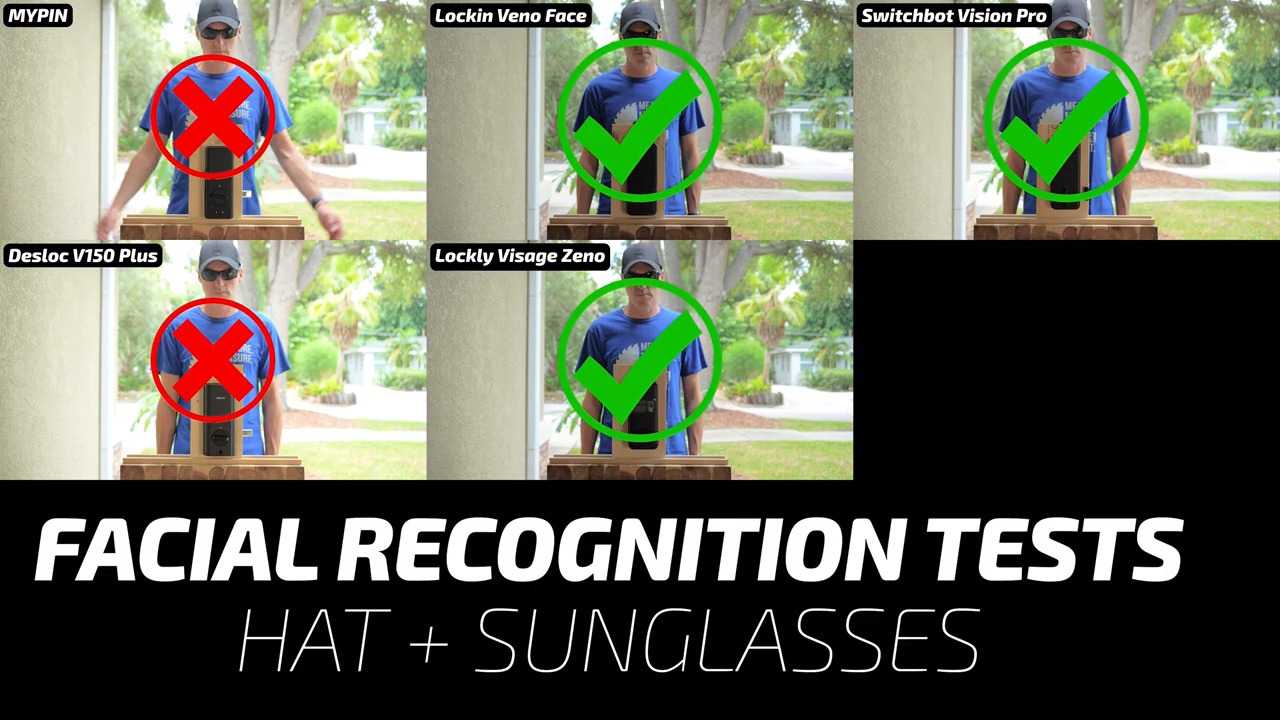
With my hat facing forwards and sunglasses on my eyes, the DESLOC and MYPIN failed to recognize me, which I guess makes sense because sunglasses alone fooled them.
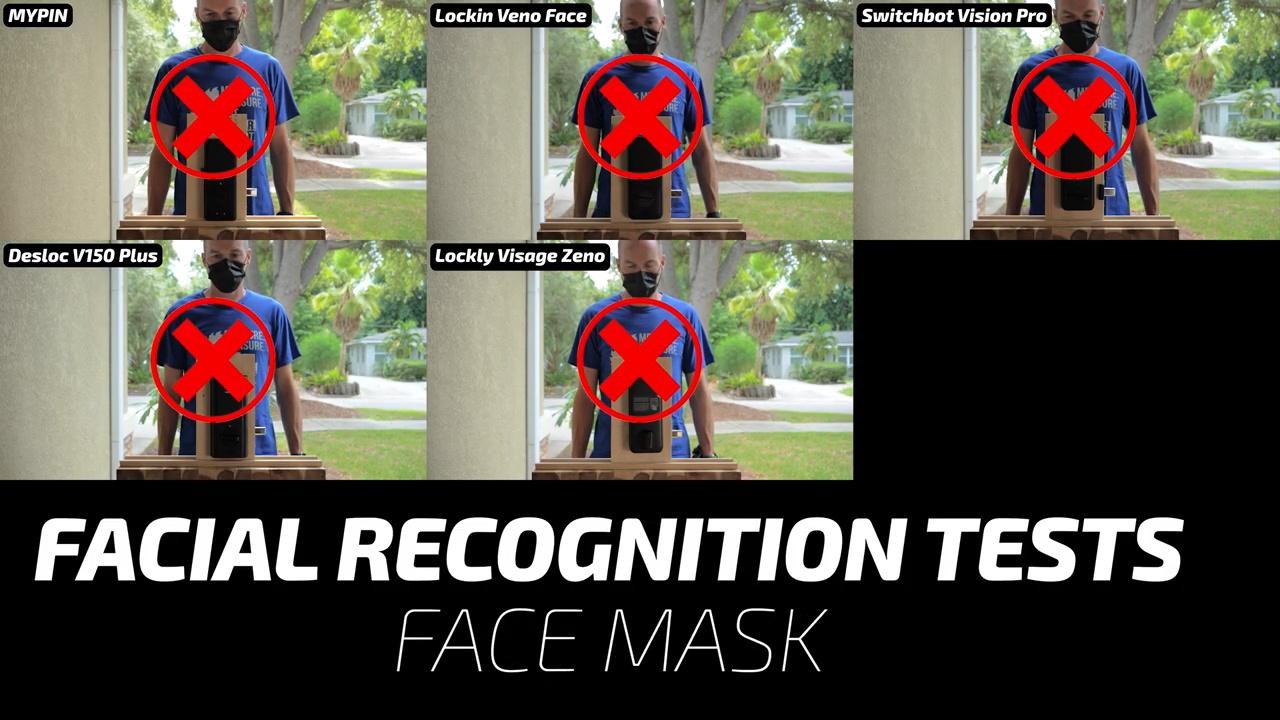
Lastly, I tried covering my face with a mask, and unsurprisingly all the locks failed this test.
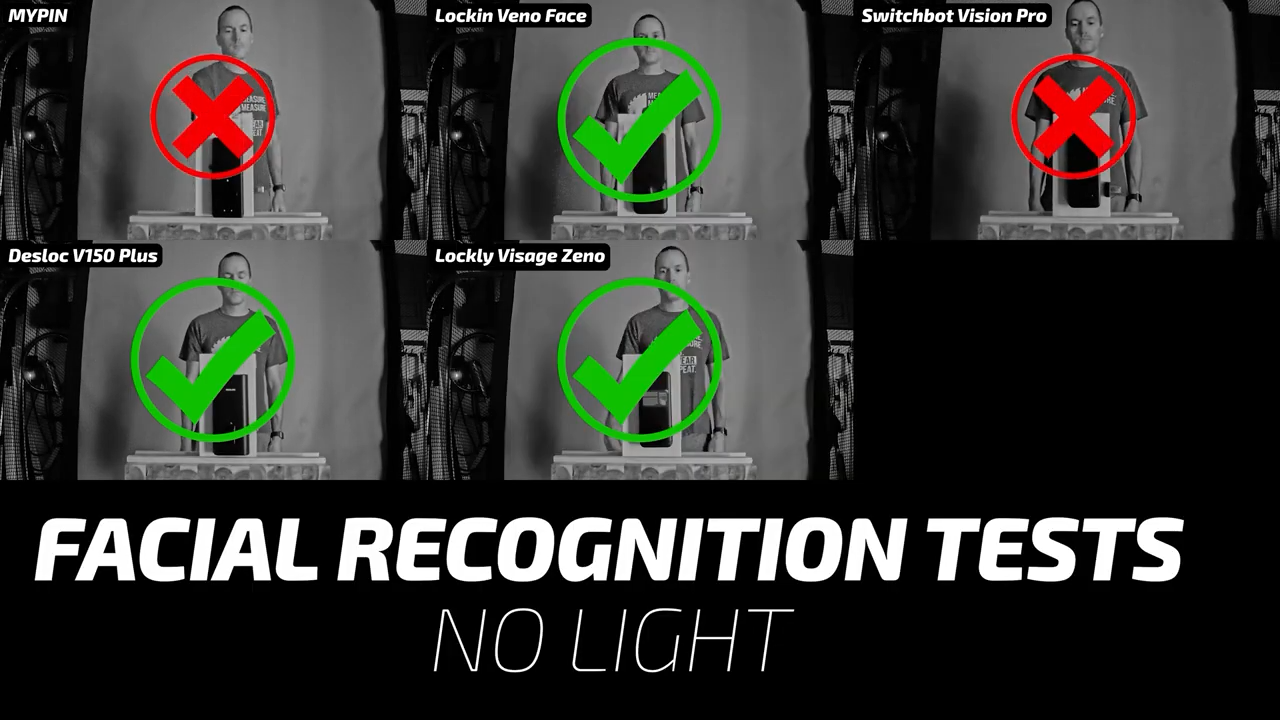
In complete darkness, the Lockin and Lockly locks unlocked even before I finished walking up to them, while the DESLOC needed a manual wakeup, and the SwitchBot and MYPIN failed to unlock at all.
The results were very similar in my direct sunlight testing with the Lockin and Lockly unlocking first, the DESLOC working after a manual wake, and the SwitchBot and MYPIN failing completely.
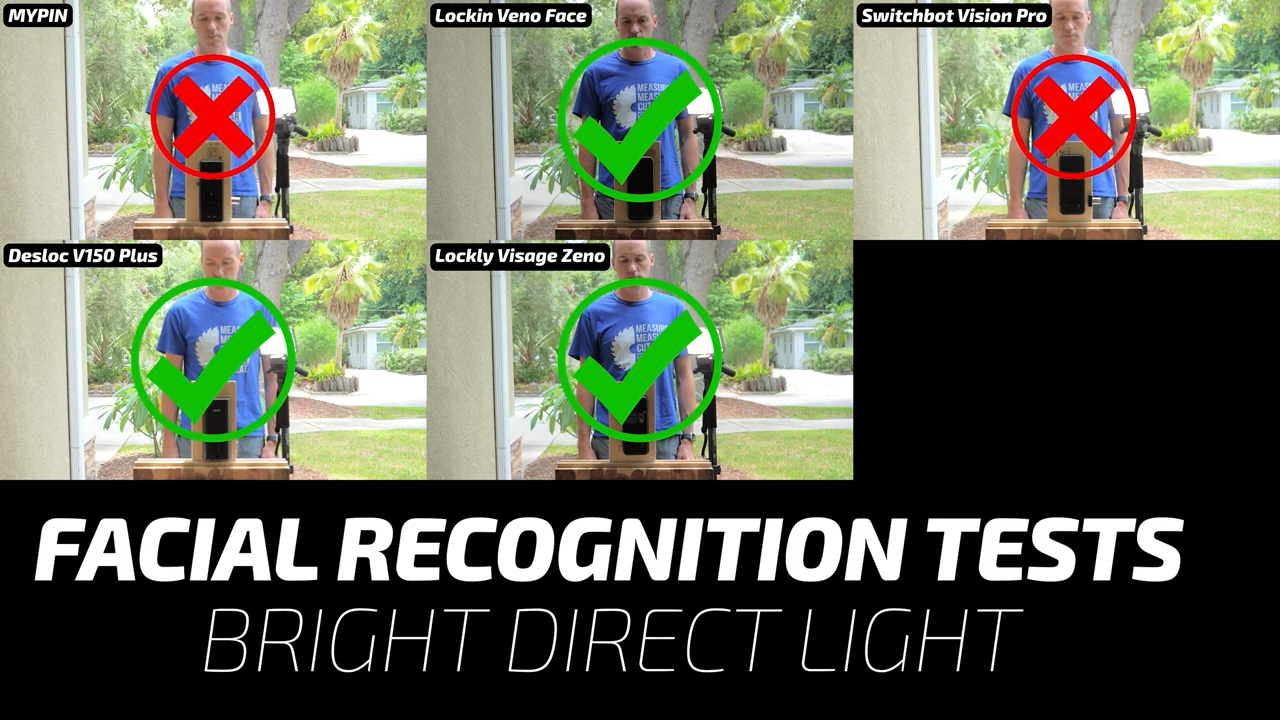
Last, in the dirty sensor test, the Lockin and Lockly were completely unfazed, and the SwitchBot, MYPIN and DESLOC eventually unlocked, but only after a significant delay.
Face ID Speed Testing
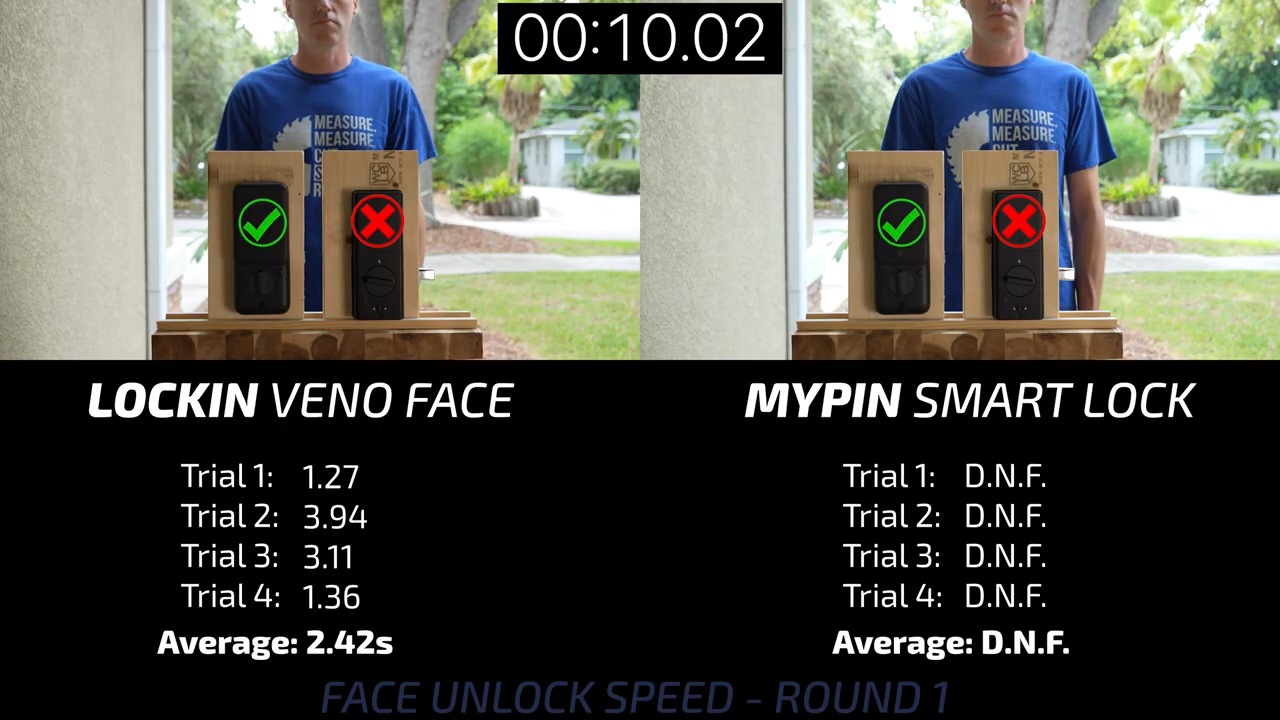
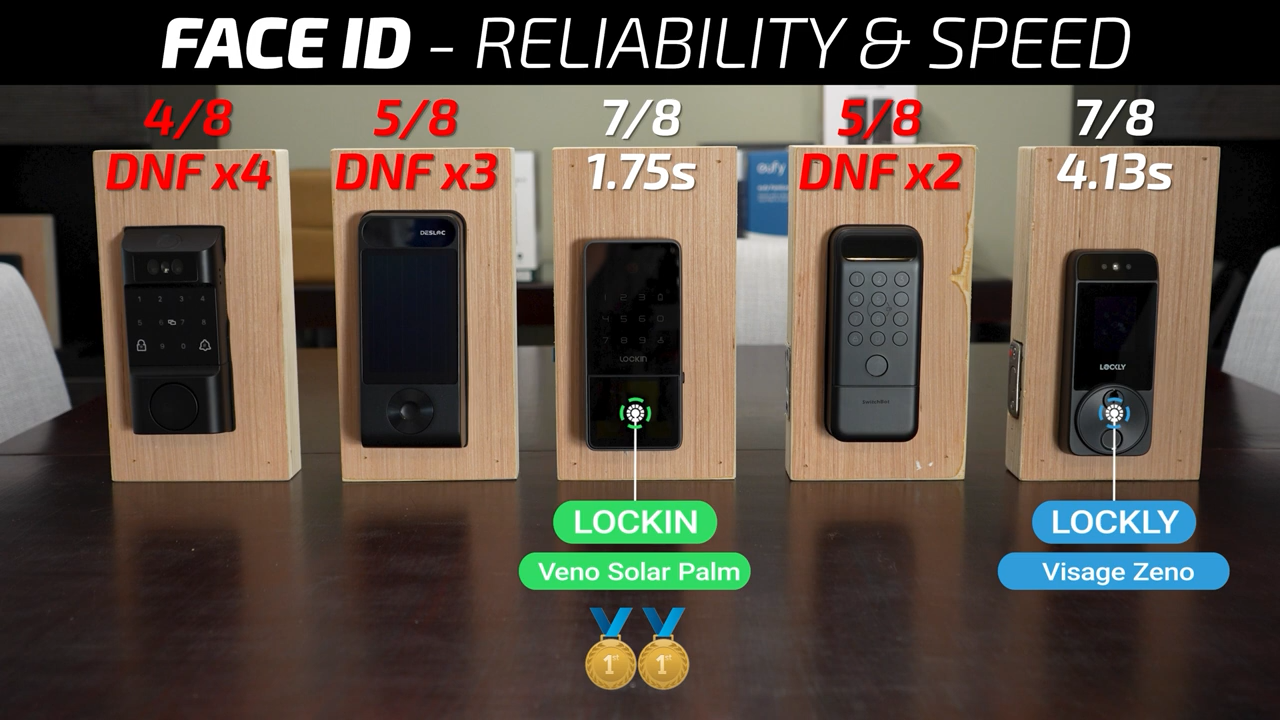
Evaluating their speed, round 1 started with the MYPIN on the left and Lockin on the right and for some reason the MYPIN completely failed to unlock in all four trials.
Round 2 put the Lockin up against the SwitchBot Vision Pro which also had issues and failed to unlock even though I was looking directly at it and away from the Lockin.
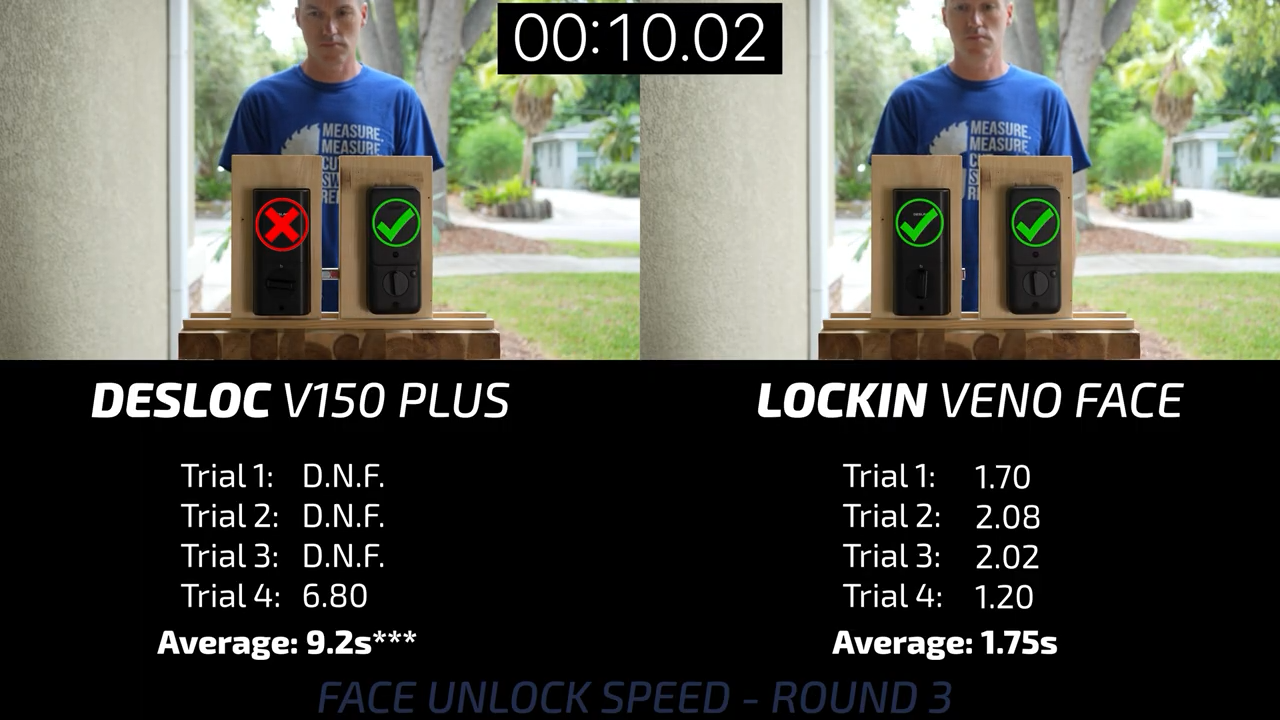
Round 3 had the Lockin against the DESLOC V150 Plus, which also failed three of the four trials, and its only successful unlock took almost 7 seconds.
Round 4 had the Lockin versus the Lockly Visage Zeno, and both locks performed well, but the Lockin was faster in three of the four trials.
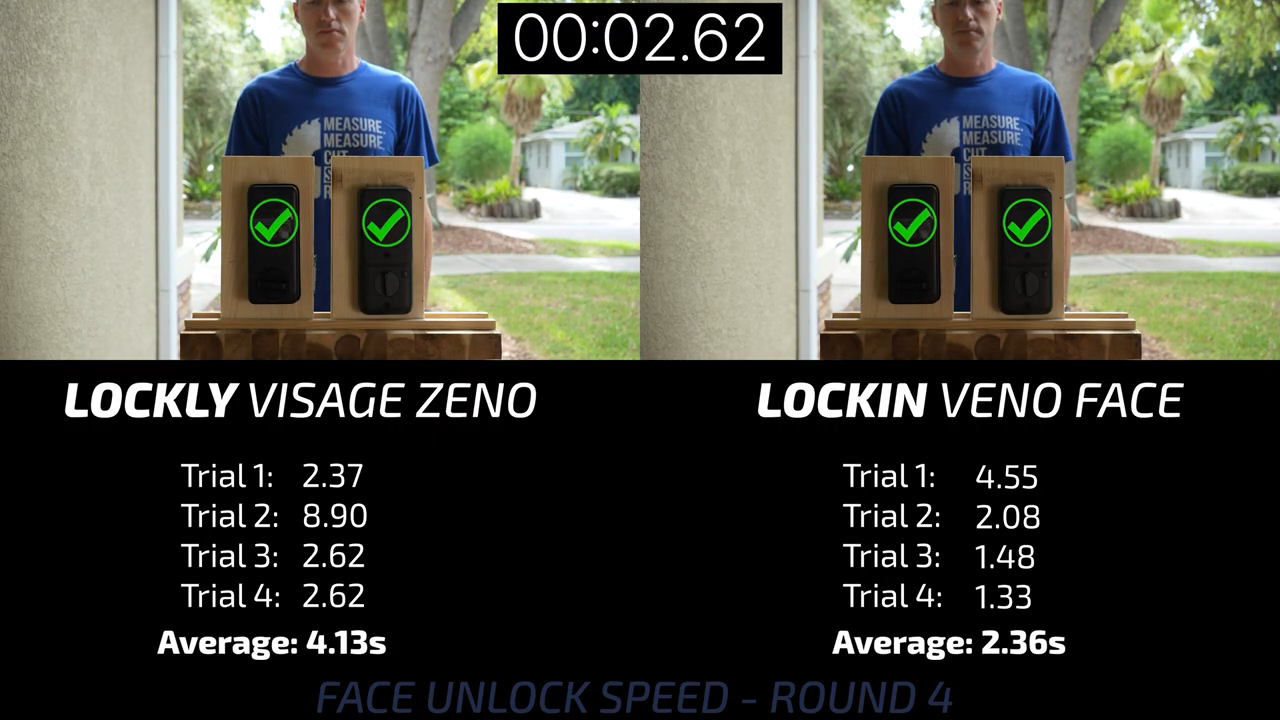
That means that for the facial recognition locks, the Lockin Veno Solar Face was the most reliable and the fastest, with the Lockly Visage coming in 2nd with equal reliability, but slightly slower unlock speed. To be honest, I wouldn’t recommend any of the other three face ID locks which were not reliable enough to use on a daily basis.
Ultra-Wideband Locks
The last lock type to look at is ultra-wideband unlocking that monitors the location of your phone or Apple Watch to not only sense that you’re near the lock, but also the direction you’re approaching from, allowing it to unlock only when you need it to.
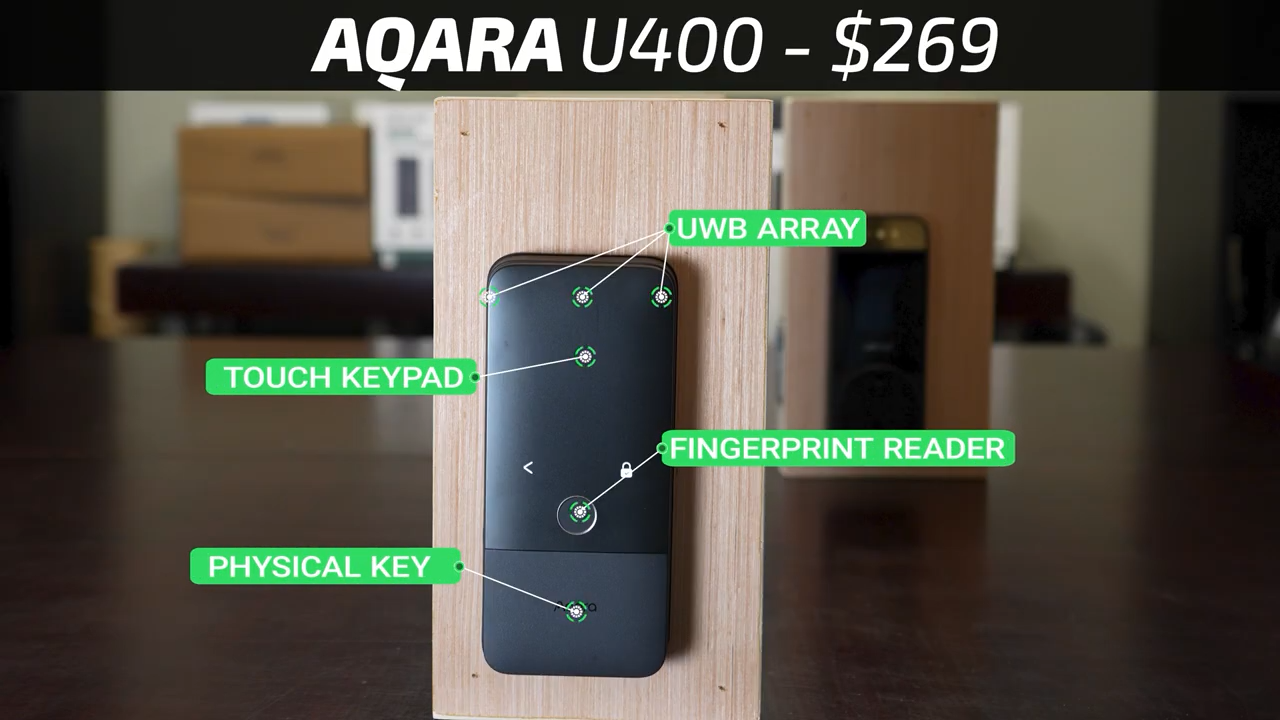
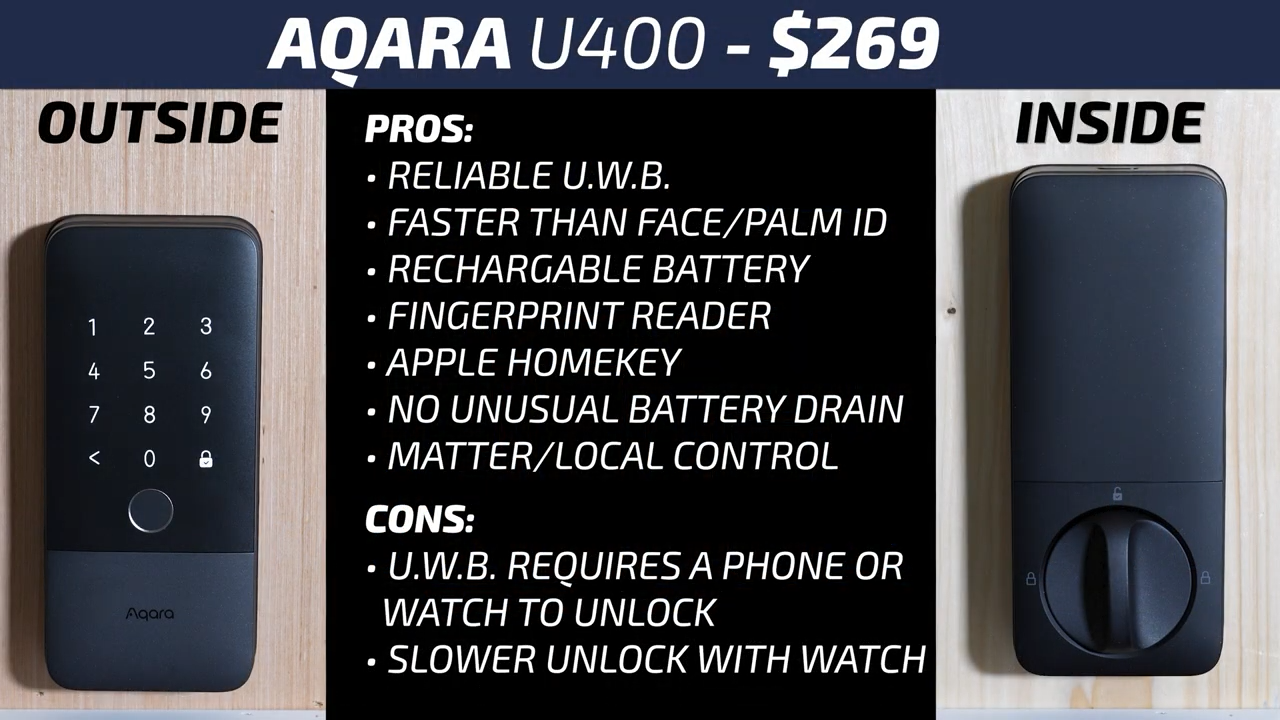
The least expensive lock using ultra-wideband is the $269 Aqara U400 which also has a fingerprint reader, a touchscreen keypad, and a hidden physical keyway.
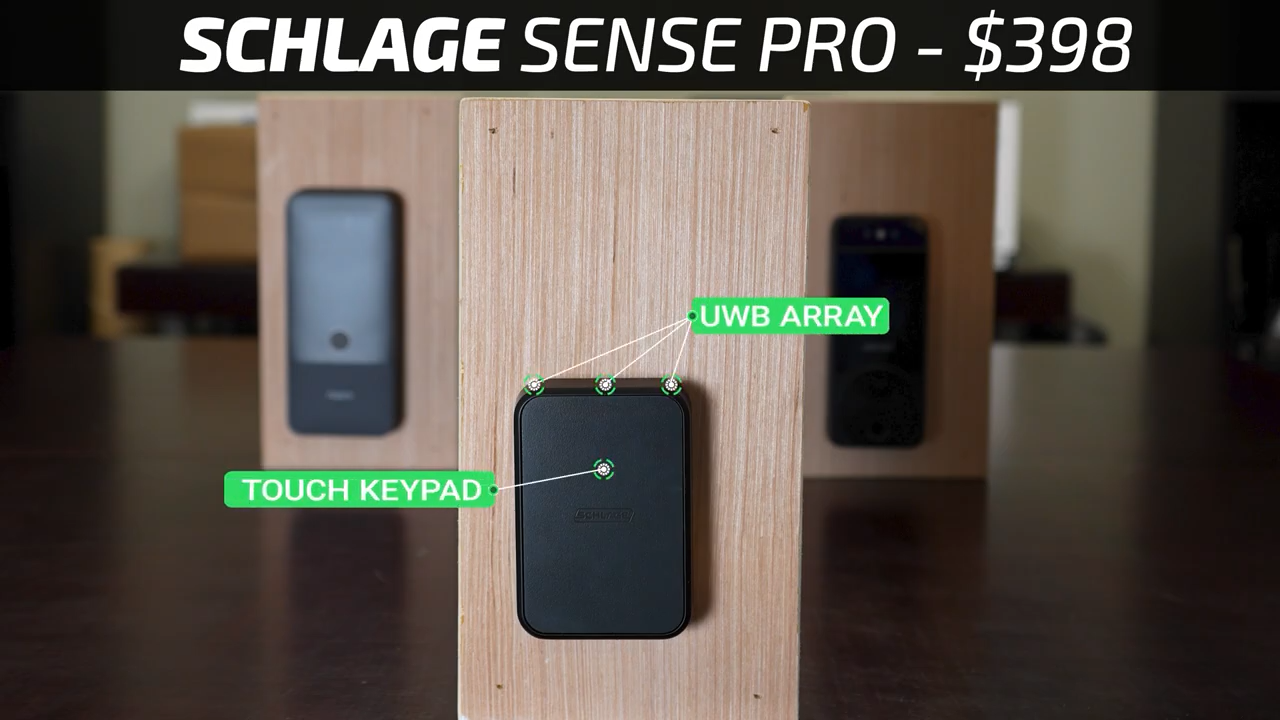
To my knowledge, the only other ultra-wideband lock on the market is the $398 Schlage Sense Pro, which only has ultra-wideband, a small touchscreen keypad, and no physical keyway at all which seems really strange for a lock made by Schlage.
Ultra-Wideband Conditions Testing
As I mentioned, the main benefit of ultra-wideband is that you can specify an approach direction for unlocking and I configured mine to only unlock when approached head on.
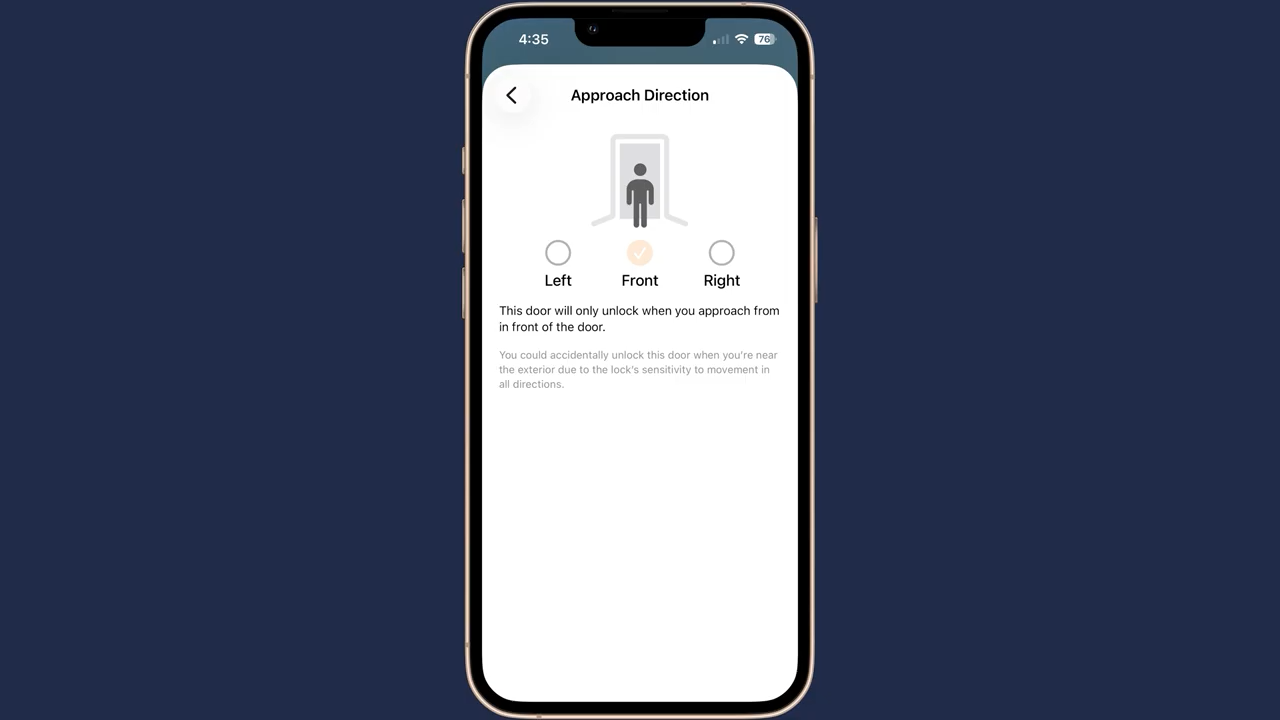
I then tested approaching from the side and as expected both locks remained in the locked state. I also flipped the locks around to simulate approaching the door from inside your house, and again, both locks remained locked just as they should. I approached them with my phone in my pocket, and they both unlocked almost instantly.
But with my phone in the house and only my Apple Watch, it took the locks significantly longer to unlock, especially the Aqara that seemed to ping my watch much less frequently.
Ultra-Wideband Speed Testing
Comparing the speed of ultra-wideband to the Lockin Veno Solar Face, the Schlage was between 0.5 and 1 second faster than both the Aqara and Lockin with my phone in my pocket, but with only my Apple Watch, the Aqara was significantly slower. Results were similar comparing the ultra-wideband locks to the Lockin Palm Lock.
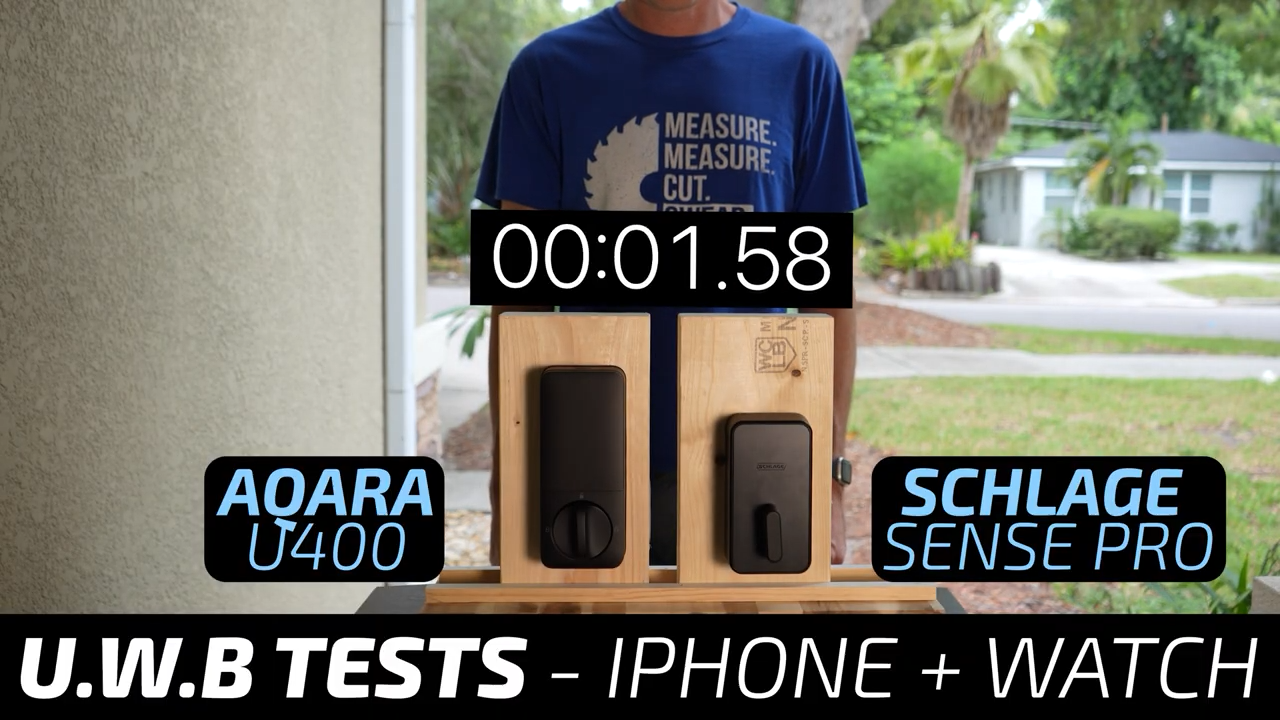
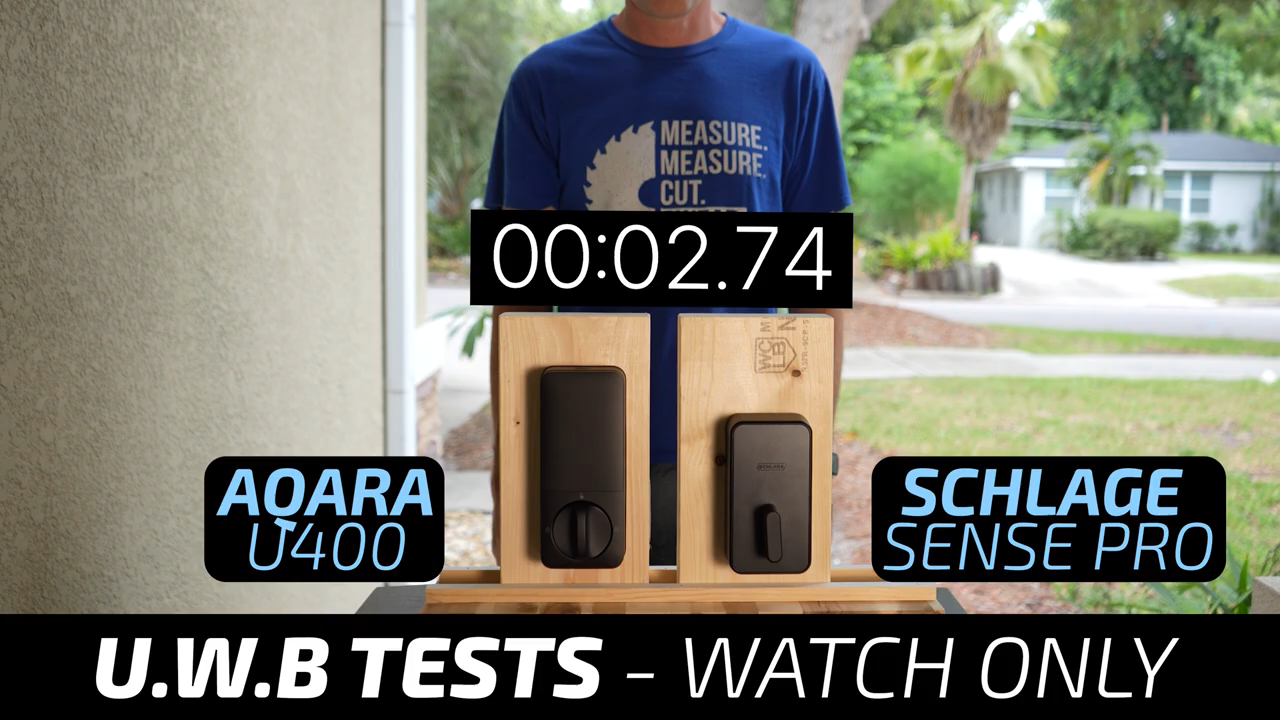
So, in terms of unlocking speed, the Lockin Face and Lockin Palm locks are nearly identical, and the Schlage ultra-wideband lock is considerably faster.
Door Sensors
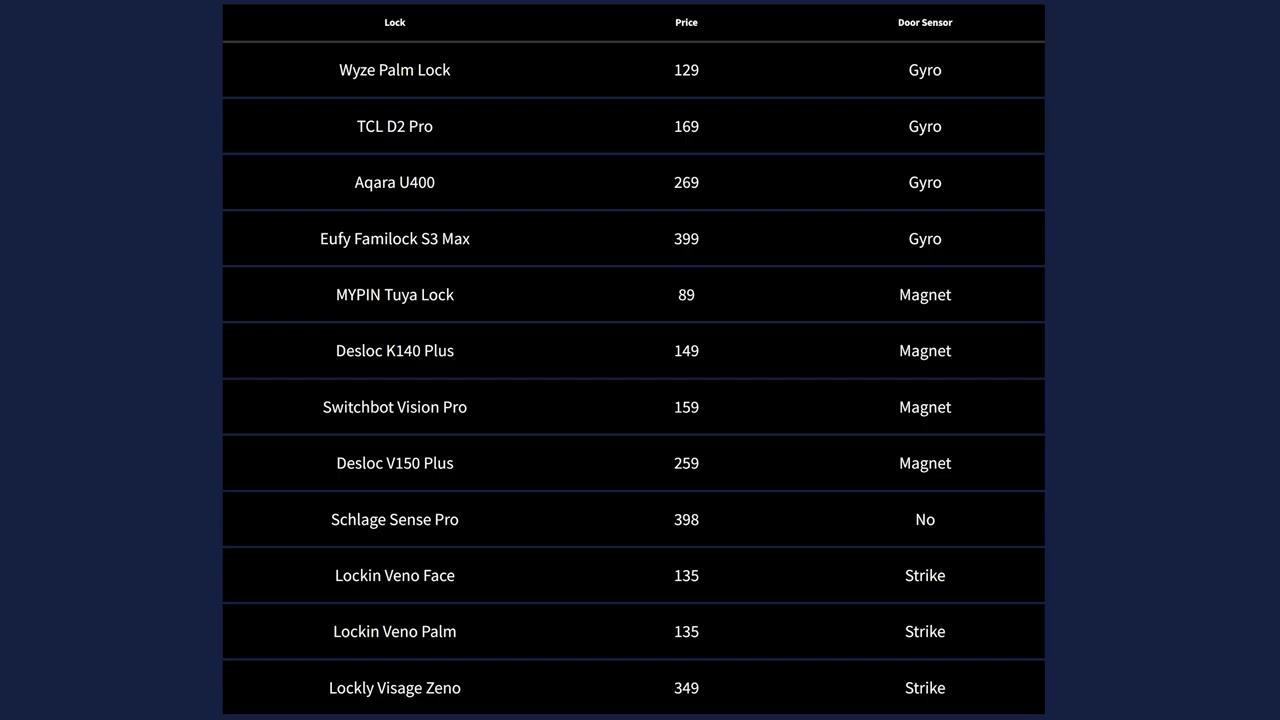
Moving on to common smart lock features, starting with door sensors. These allow your lock to determine if the door is closed which prevents automatic locking of open or partially closed doors. There are three different door sensor types in this video.
The first is the least reliable, used by the Wyze, Aqara, TCL and eufy, just uses a gyro inside the lock to determine the door angle relative to its normal position, which again, works but is far from exact.
The second type, found in the MYPIN, SwitchBot, and both DESLOC locks, uses an external magnet to trigger either a reed switch or Hall effect sensor inside the lock.
The third and best type is on the Lockly and both Lockin locks which incorporates a reed switch into the deadbolt and a magnet into the strike plate. This method is not only the most reliable way to determine if the door is actually closed, but it also eliminates the need for extra magnets and sensors sticking to your door, and in my opinion, is the gold standard that every smart lock should include.
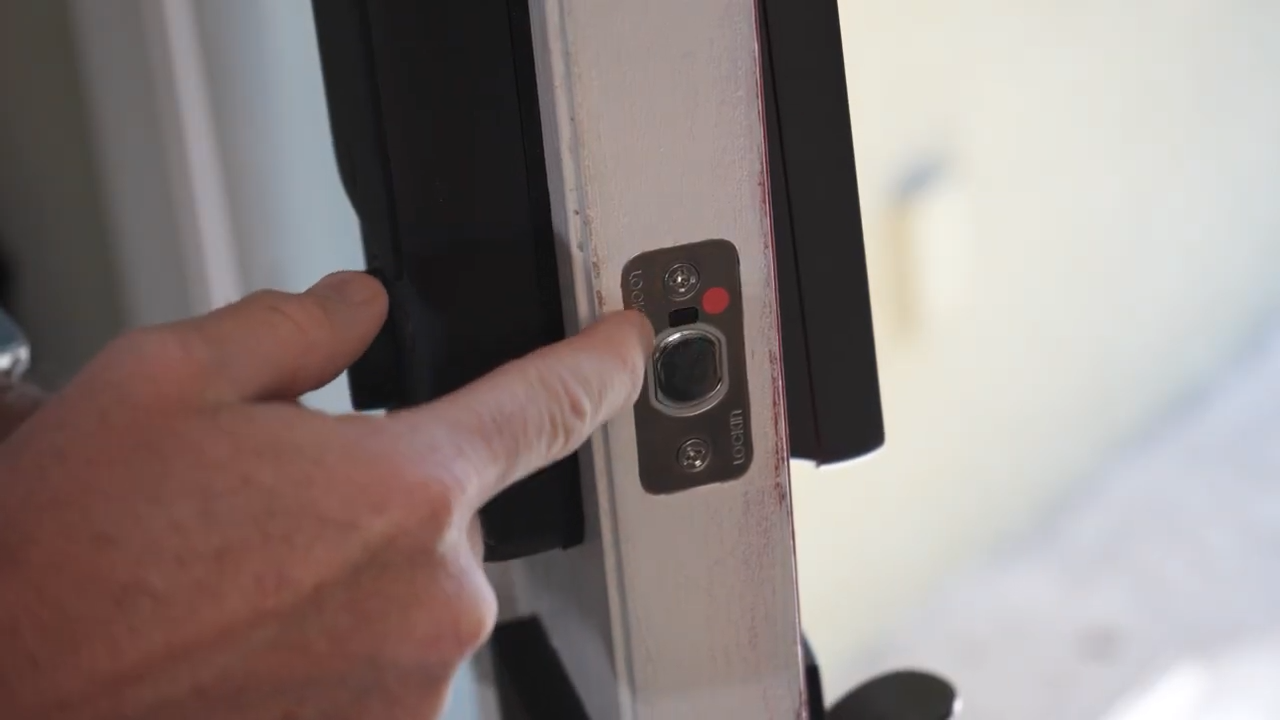
It’s worth noting that the most expensive lock, the Schlage Sense Pro, is the only one that doesn’t have a built-in door sensor.
Smart Home Integrations
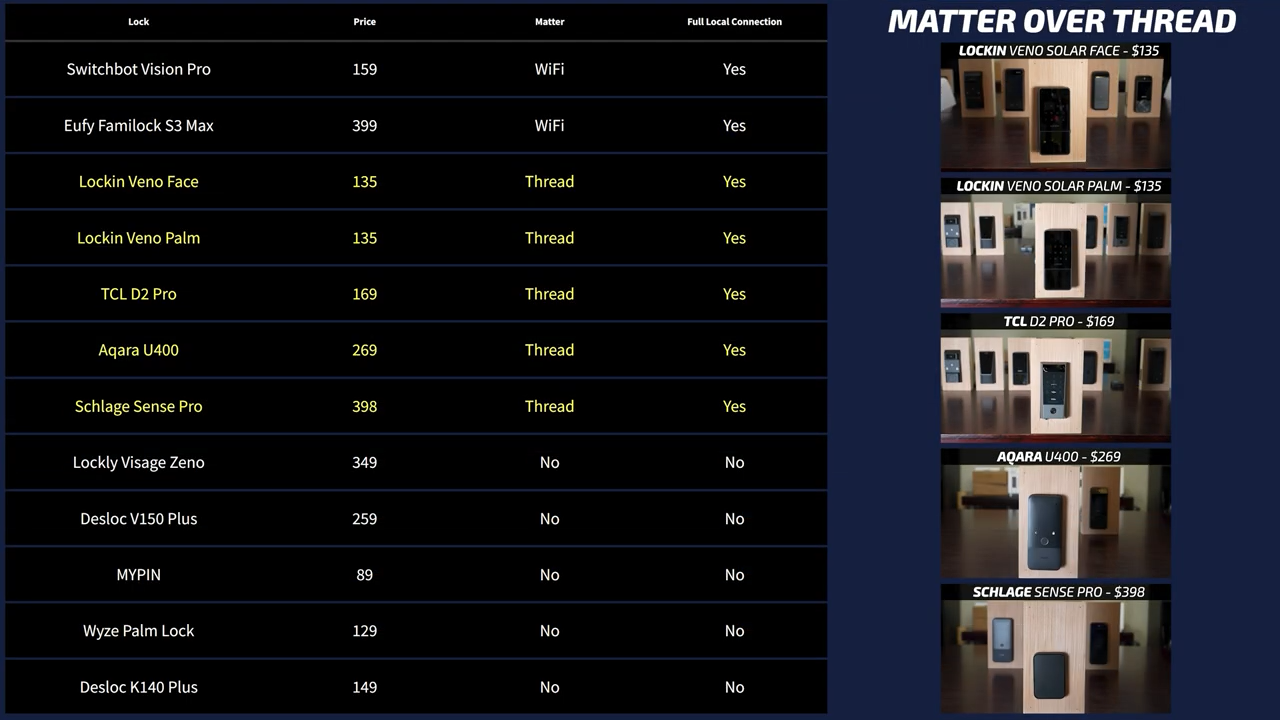
Looking at their smart home integrations, the Lockin, Schlage, TCL, and Aqara locks all support Matter over Thread, while the eufy and SwitchBot support Matter over WiFi, which means they are easy to add to Home Assistant. Unfortunately, the door sensor state doesn’t get exposed via Matter, so the integration is mostly limited to just remote lock/unlock buttons and the lock status of the door, which is better than nothing.
App Features
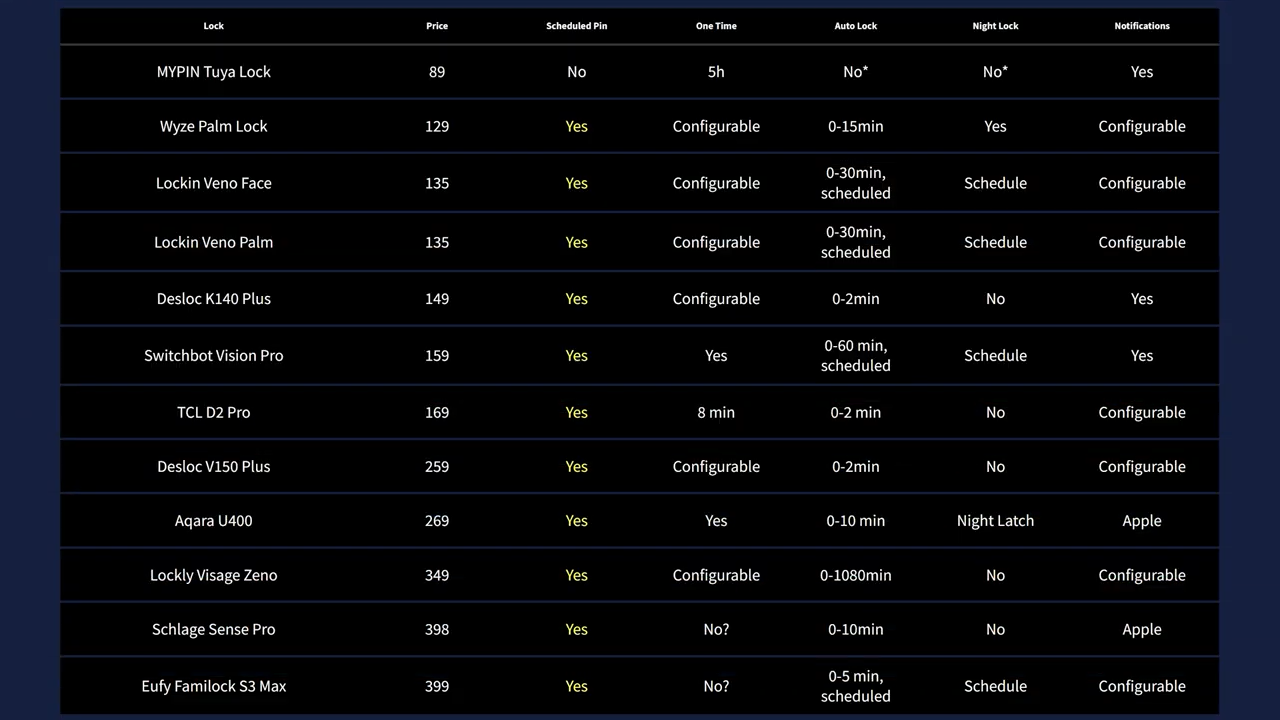
If you’re using these locks for an Airbnb or to allow a cleaning or pet service into your house, all the locks except the MYPIN have highly configurable pin code options with scheduling. For auto locking, all of the locks except the MYPIN have configurable auto lock durations but the Lockin, eufy, SwitchBot, and Wyze go one step further allowing you to set a schedule for when the automatic locking setting should be active.
Locking Noise
Speaking of automatic locking, when you’re physically interacting with the door, the sound that the locking mechanism makes doesn’t seem like a big deal, but an auto lock 10 minutes after coming home can sometimes be jarring if the lock is particularly loud. So, here are the locking sounds from quietest to loudest.
Battery Life
The last thing to look at is battery life, and while most of the locks advertise roughly six months of battery, that depends on how often you’re locking and unlocking your door and whether or not your deadbolt rubs against the strike plate when it’s locking. But as a point of reference, I weighed the rechargeable lithium batteries and recorded their watt hour rating, and expectedly, the eufy has the largest battery to not only support the camera function, but also the large interior screen. But unexpectedly, the most expensive lock in the video, the Schlage Sense Pro is the only lock that doesn’t come with a rechargeable battery and instead runs on four AA batteries, which would give the equivalent of about 12 watt hours.
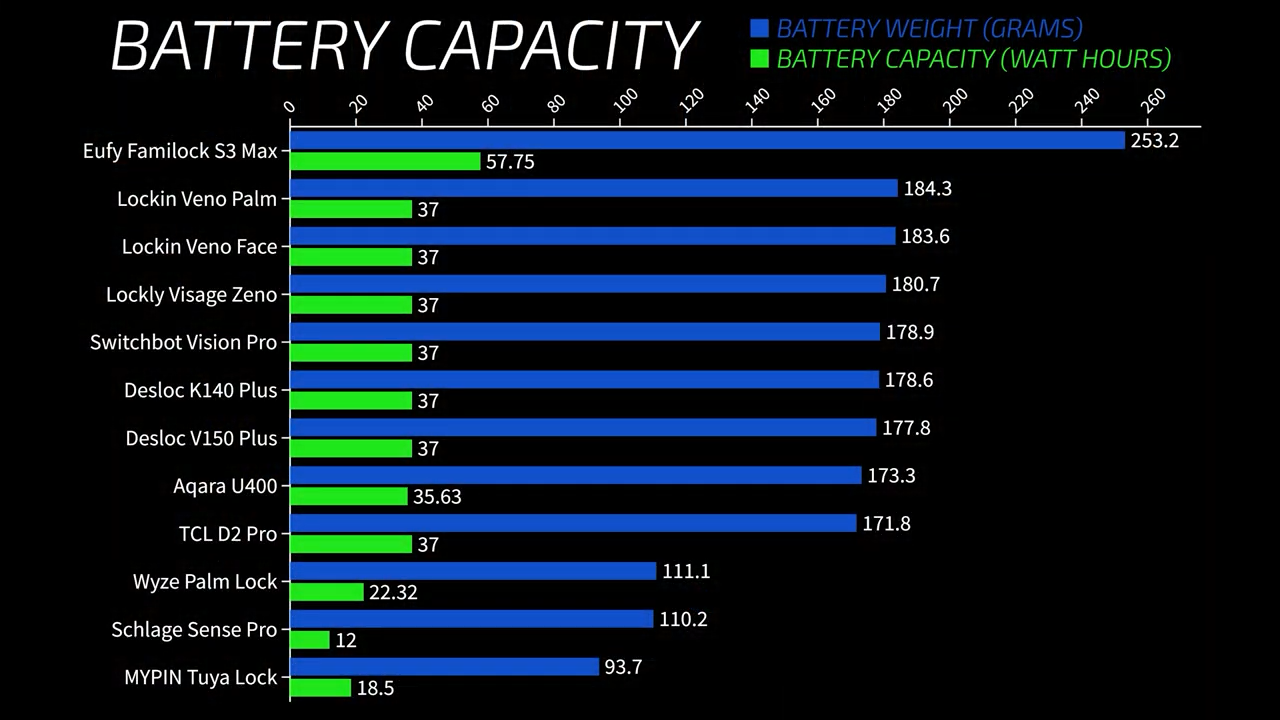
Both Lockin locks and the DESLOC V150 Plus have small solar panels to supplement their battery, and unlike typical solar panels that only work in full sun, they use Perovskite panels that can supposedly charge effectively using indirect sunlight. In the six days that I’ve had the Lockin Veno Solar Face installed on my door, its battery percentage in the app has increased from 79% to 81%, so there’s a good chance it will never need to be charged. It’s also worth mentioning that the Lockly Visage comes with an extra battery in the box, so you can always have a spared charged to swap in, which is a nice touch.
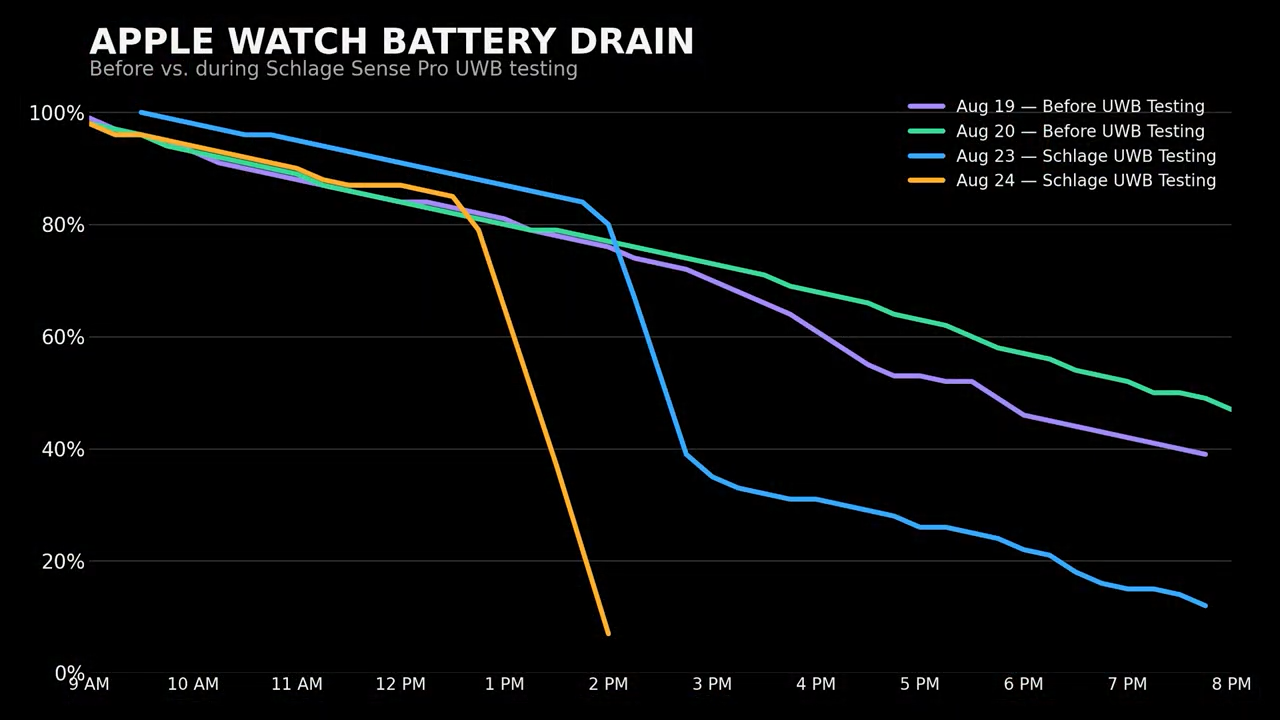
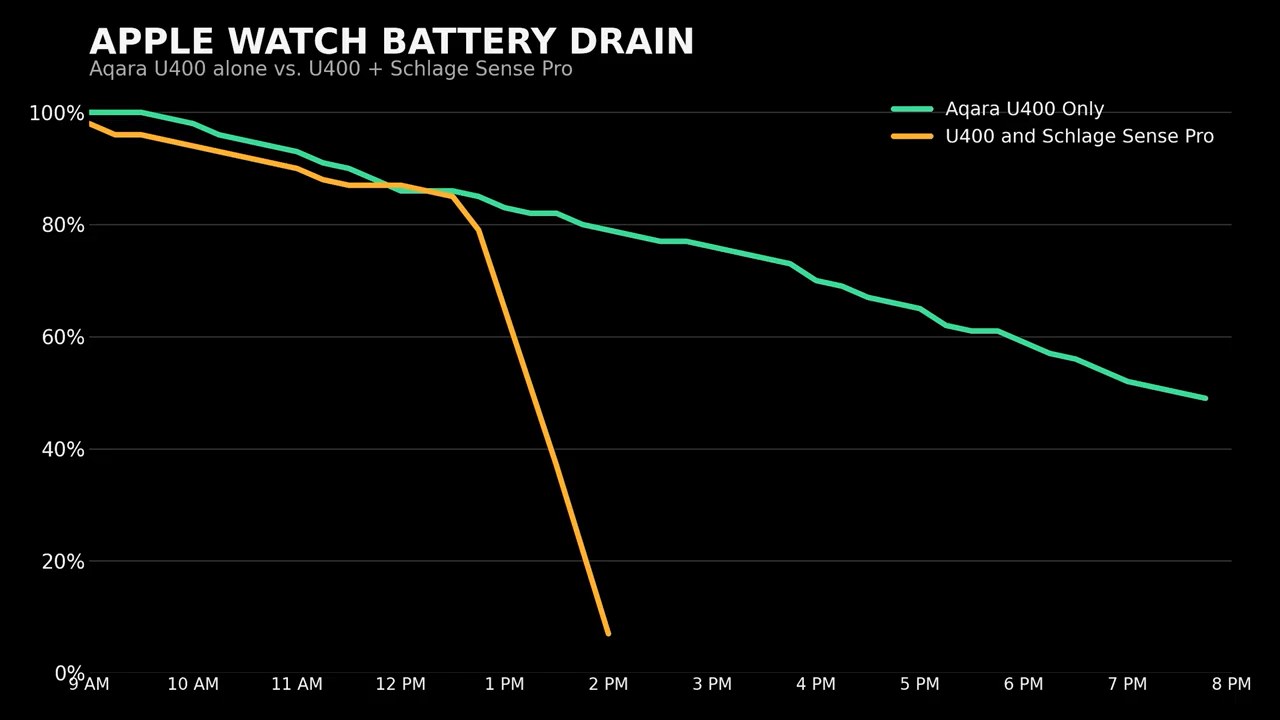
One last unexpected battery observation is that my Apple Watch has come close to running out of battery every day since I started testing the ultra-wideband locks and I’ve previously never seen it go below 30%. So, as a test I took the battery out of the Schlage lock and the battery drain went back to normal, which also supports my theory that the Schlage is pinging my watch significantly more often than the Aqara.
Conclusions and Recommendations
At this point, I definitely have enough data to narrow down my recommendations, starting with the most obvious.
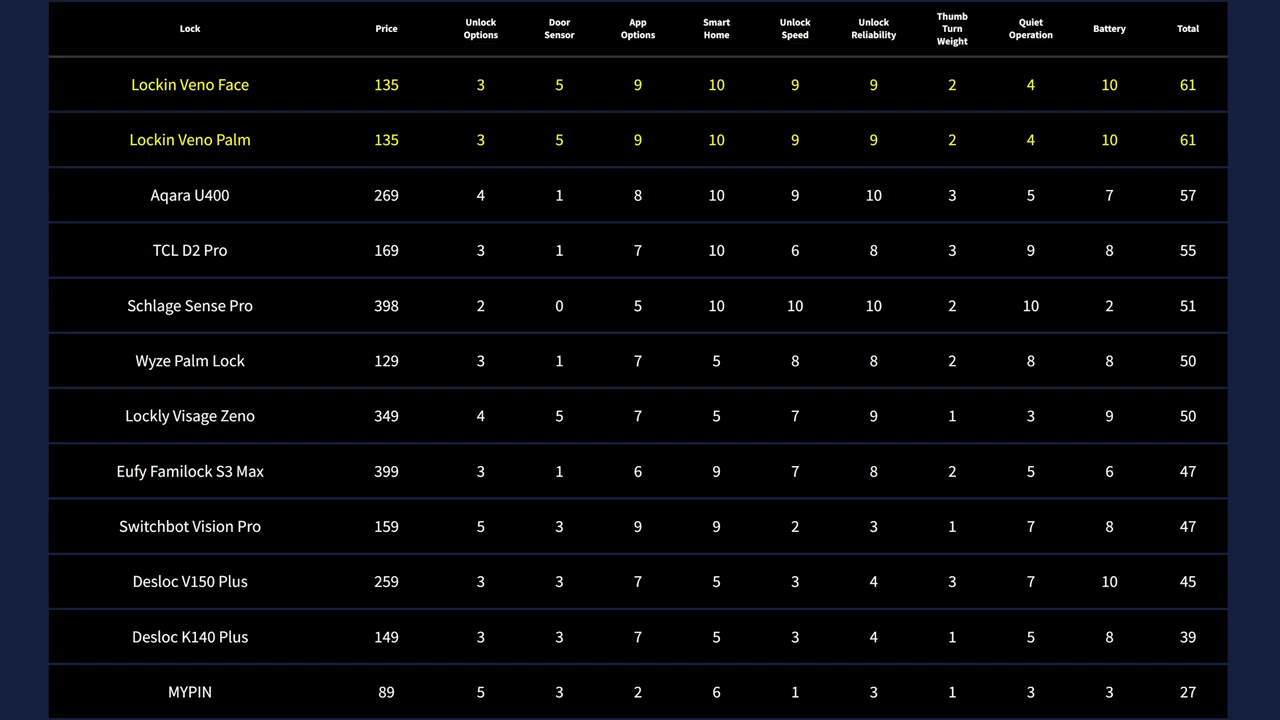
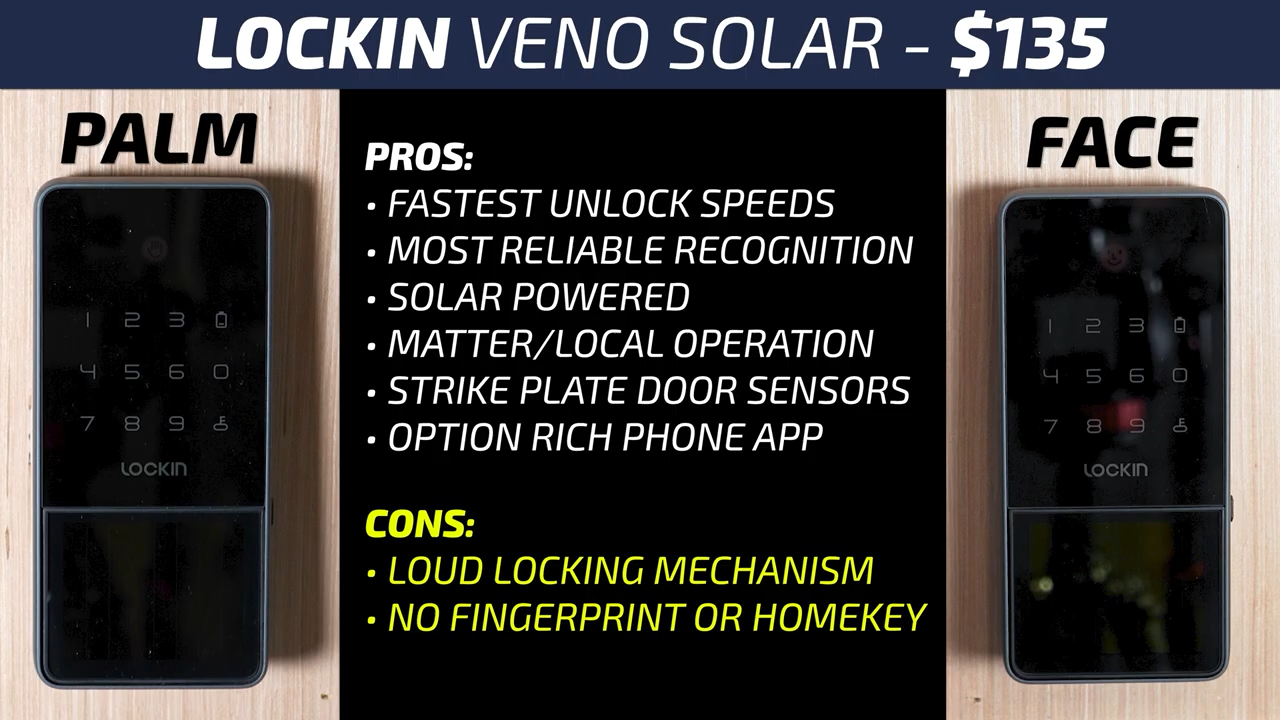
The Lockin Veno Solar Face and Lockin Veno Solar Palm are exceptionally good for their price point. They were not only the fastest, but also the most reliable in their respective categories. They’re solar powered, Matter compatible, they’ve got the most well thought outdoor sensors, and the Lockin app has more options than most. Just about the only area that I can ding the Lockin is that they are the loudest locks.
The Wyze Palm Lock and TCL D2 Pro also performed very well, but I just don’t see a strong argument to pick either of them in a world where the Lockin Veno Solar Palm exists. For me, the only other palm-based lock worth considering is the eufy FamiLock S3 Max which not only has a built-in video doorbell with person detection and two-way talk, but the interior screen is incredibly useful for people with solid or frosted glass doors without peep holes. Considering that it also has Matter compatibility, a great app, high speed, and high reliability, it’s definitely worth considering if the extra features make sense for you.
The other facial recognition lock that I wouldn’t count out is the Lockly Visage Zeno. In terms of facial recognition, the Lockin Veno Solar Face is slightly better, but the Lockly adds both a fingerprint reader and non-ultra-wideband Apple Home Key where you can tap your phone or watch on the screen to unlock. So, if you live somewhere cold where you’re often unlocking your door with a hat, scarf, and gloves, the Lockly’s extra options could make it worth the extra money.
Speaking of extra money, the Schlage Sense Pro and MYPIN Tuya Smart Lock are basically exact opposites. MYPIN tried to squeeze as many features as possible into their lock for the least amount of money but didn’t put much effort into making sure those features worked well. Schlage, on the other hand, made a lock with no door sensor and no keyway that runs on AA batteries, and they decided to make it the most expensive lock in my testing, but they did make sure that it’s one standout feature, ultra-wideband unlocking, worked very well.
That said, the Aqara U400’s ultra-wideband unlocking was still very fast and didn’t cause the rapid battery drain on my Apple Watch that the Schlage did. Add to that that it has a rechargeable battery, fingerprint reader, physical keyway, a better app, and a more intuitive keypad for $130 less and it is definitely my pick for an ultra-wideband lock over the Schlage Sense Pro.
As always, there are no sponsored reviews on this channel, but I do have links below for all the locks in this video. If you appreciate the time and money that it takes me to make a video like this, I always appreciate it when you use those links since as an Amazon Affiliate, I do earn a small commission on the sale at no cost to you.
I’d also like to thank all my awesome patrons over at Patreon for their continued support of my channel, and if you’re interested in supporting my channel, please check out the links below. If you enjoyed this video, please consider subscribing to my YouTube channel and as always, thanks for watching The Hook Up.